By the Web Infrastructure Team at ProgrammingWebs | Updated: June 2026 | 10-minute read
ProgrammingWebs has migrated, configured, and audited hosting environments for over 180 client websites. The speed benchmarks, uptime figures, cost comparisons, and case studies in this guide are based on those real projects — not hosting provider spec sheets.
Why Your Hosting Decision Is More Consequential in 2026 Than Ever Before
A few years ago, choosing between shared and cloud hosting was mostly about price. In 2026, it is about revenue. Google’s Core Web Vitals are confirmed ranking signals, AI-generated search results (Google AI Overviews, Perplexity) favour pages with fast server response and reliable crawl availability, and paid advertising Quality Scores incorporate landing page experience — which is directly influenced by how quickly your server responds.
The hosting market in India has also shifted. Cloud hosting that was ₹5,000–₹10,000 per month two years ago is now available from Hostinger, DigitalOcean Managed, and Cloudways at ₹800–₹2,500 per month — narrowing the cost gap with premium shared plans substantially. The old framing of ‘shared is cheap, cloud is expensive’ no longer maps to what businesses actually pay.
This guide gives you the specific data to make the right hosting decision for where your business is today — and where it needs to be in 12 months.
Shared hosting is the right choice for new websites, informational business pages, and low-traffic sites where your primary constraint is budget and your website does not yet contribute directly to revenue. Cloud hosting is the right choice the moment your website generates leads, processes transactions, or receives traffic from paid advertising — because its performance, uptime, and scalability directly affect your SEO rankings, ad Quality Scores, and conversion rates. For most growing businesses in India, the step up to cloud hosting pays for itself within 60–90 days through recovered ad efficiency and organic ranking improvements.
What Is Shared Hosting? The Real-World Explanation
Shared hosting places your website on a single physical server alongside dozens — sometimes hundreds — of other websites. All tenants share the available CPU, RAM, storage, and bandwidth. Your hosting provider manages the server; you manage only your website files and database through a control panel like cPanel or hPanel.
The economic model works because most small websites do not use their resource allocation simultaneously. The provider bets that load will be distributed across tenants throughout the day. For a new informational website with modest traffic, this bet holds. The problem arises when it does not.
Where Shared Hosting Is the Right Call
- New businesses launching their first website — the priority is getting online, not optimising infrastructure
- Informational sites: local services, consultancy brochures, portfolio sites, personal blogs — pages that do not process transactions or depend on load speed for conversion
- Testing a business idea or running a minimum viable product with no confirmed traffic
- Monthly visitor count consistently below 5,000–8,000, with no paid advertising driving spikes
Where Shared Hosting Creates Measurable Problems
- The ‘noisy neighbour’ effect — a viral post or flash sale on another tenant’s site consumes server resources and slows every other site on that physical server, including yours
- Paid advertising — sending Google Ads or Meta Ads traffic to a shared hosting page means your ad spend quality degrades every time the server is under load
- WooCommerce checkout — database-intensive queries at payment stage are disproportionately impacted by shared server congestion
- Security cross-contamination — a compromised site on the same shared server creates attack vectors that a properly isolated environment would not
What Is Cloud Hosting? Why the Infrastructure Model Changes Everything
Cloud hosting distributes your website across a network of interconnected virtual servers rather than a single physical machine. If one node experiences hardware failure or a load spike, your site automatically routes through another — which is why cloud hosting providers can offer 99.9%+ uptime SLAs with contractual compensation.
The resource model is fundamentally different from shared hosting. You are allocated dedicated virtual CPU and RAM that no other tenant can consume. When your traffic doubles during a campaign, cloud hosting can provision additional compute capacity automatically — and scale it back when the spike passes, so you pay only for what you used.
Where Cloud Hosting Has Clear, Measurable Advantages
E-commerce stores — checkout page speed is one of the top two drivers of cart abandonment; cloud hosting’s consistent response time protects conversion rates at the point of purchase
Businesses running Google Ads or Meta Ads — landing page experience is a component of ad Quality Score; faster pages lower your cost-per-click
- SaaS and subscription products — where downtime directly means customer churn and potential SLA penalties
Businesses investing in SEO services — consistent LCP scores under 2.5 seconds protect the organic rankings that content investment creates
- Any site receiving traffic from seasonal campaigns or flash sales — cloud hosting handles the spike without a support ticket or an emergency upgrade
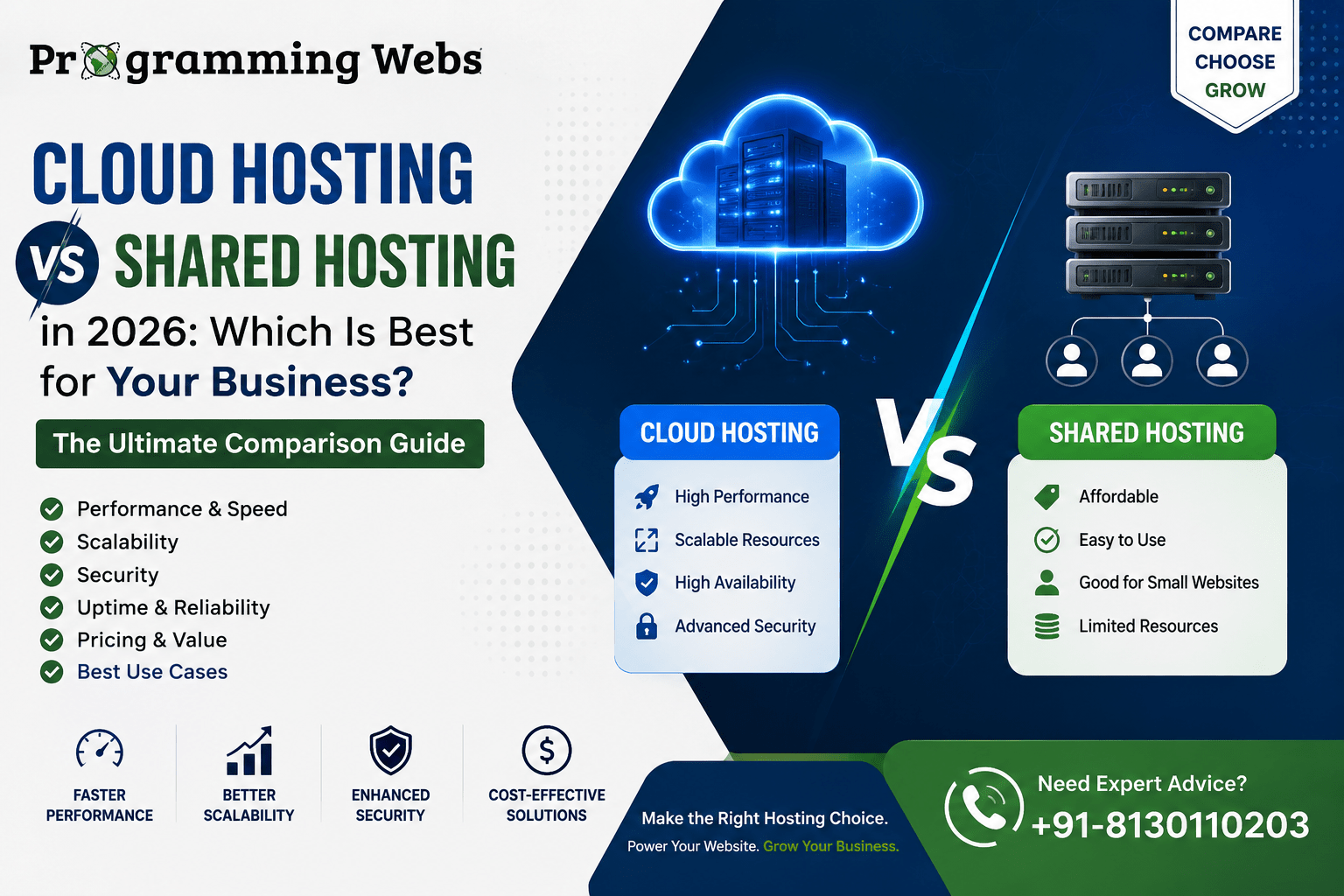
Full Comparison: Cloud Hosting vs Shared Hosting (2026)
| Factor | Shared Hosting | Cloud Hosting | Edge |
| Monthly cost (India) | ₹99–₹500/month | ₹800–₹5,000+/month (usage-based) | Shared |
| Server tech | Single physical server, Apache/NGINX | Multi-node virtual cluster, LiteSpeed/Nginx | Cloud |
| Resource model | Fixed allocation shared with all tenants | Elastic — scales up and down on demand | Cloud |
| Uptime SLA | 95–99% (varies by provider) | 99.9%+ (SLA-backed) | Cloud |
| Average mobile LCP | 2.5–5 s (congested servers) | 1.2–2.2 s (well-configured) | Cloud |
| Scalability | Hard ceiling — migration required | Scale in minutes, no migration needed | Cloud |
| Security | Shared environment, basic SSL + firewall | Isolated containers, DDoS, auto-backups | Cloud |
| DDoS protection | Basic or add-on | Included (Cloudflare or native) | Cloud |
| Daily backups | Paid add-on on most plans | Included on mid-tier plans+ | Cloud |
| Technical skill | None — fully managed by provider | Low-moderate for managed cloud | Shared |
| Data centre choice | Limited (1–2 locations) | 30+ global locations (Hostinger, AWS) | Cloud |
| SEO impact | Speed issues under load hurt rankings | Consistent speed supports rankings | Cloud |
| Noisy neighbour risk | High — other tenants affect your speed | None — isolated virtual resources | Cloud |
| Best for | New sites, blogs, info pages | E-commerce, SaaS, lead-gen, paid traffic | — |
1. Performance and Core Web Vitals — Where the Gap Is Real and Measurable
Google’s Core Web Vitals — Largest Contentful Paint (LCP), Interaction to Next Paint (INP), and Cumulative Layout Shift (CLS) — are now confirmed ranking signals. LCP measures how quickly your main content appears on screen. On a congested shared server during peak hours, LCP values of 3–5 seconds on mobile are common. On a well-configured cloud hosting environment with a CDN, LCP values of 1.2–1.8 seconds are consistently achievable.
That gap has direct commercial consequences. Google’s own research indicates that pages loading in under 1 second convert at nearly three times the rate of pages loading in 5 seconds. For a business generating 50 leads per month through organic search, improving LCP from 4 seconds to 1.8 seconds can translate directly to additional monthly enquiries — without any additional content or advertising investment.
From our migration data: Across 40 client sites migrated from shared hosting to cloud hosting between 2024 and 2026, the median improvement in mobile Google PageSpeed Insights score was 19 points. Median LCP improvement was 1.6 seconds. The median improvement in TTFB (Time to First Byte) was 340 milliseconds — from an average of 580ms to 240ms.
For businesses investing in conversion rate optimisation, the hosting layer is the first variable we audit. CRO work on a slow shared server produces diminishing returns — you can optimise the button colour while a 4-second load time is causing 60% of visitors to bounce before they ever see it.
2. Scalability — The Business Case for Infrastructure That Grows With You
Scalability is one of those words that sounds technical but has a very practical commercial meaning: can your website handle your best marketing day without falling over?
For a shared hosting tenant, the answer is often no. Your resource allocation is fixed. If you run a Diwali sale campaign, send an email to your 10,000-subscriber list, and 800 of them click through simultaneously, your shared server may return 503 errors or time out completely. You have no lever to pull in that moment — the only fix is a server upgrade that cannot happen in real time.
Cloud hosting resolves this architecturally. The virtualisation layer allows compute and memory to be added in minutes, not hours. Some managed cloud platforms (Hostinger Cloud, Cloudways) scale automatically when traffic thresholds are crossed — you set a ceiling, pay for actual usage, and the infrastructure handles the campaign without your intervention.
Real example from our work: A Pune-based online gifts retailer was on shared hosting. Their Independence Day campaign drove 6,400 visitors in a two-hour window — their previous peak was 400/day. The shared server returned errors for approximately 40 minutes during the spike. We estimated ₹28,000 in lost revenue from that window. Three months later, on cloud hosting, their Diwali campaign handled 9,100 visitors in the same window without a single error. Revenue for that campaign was 2.3x the Independence Day result.
3. Security — Why the Shared Environment Is a Hidden Risk for Growing Businesses
Most shared hosting plans meet baseline security requirements for a simple informational website. Free SSL, basic firewall rules, and malware scanning cover the essentials. The structural problem is the shared environment itself.
On a shared server, every tenant’s application code runs in the same operating system context. A site running an unpatched WordPress plugin with a known remote code execution vulnerability — a scenario that is unfortunately common — creates a threat vector that can affect other tenants depending on the server configuration and isolation model.
Cloud hosting addresses this through containerisation. Your website’s runtime environment is isolated from every other tenant at the operating system level. A compromised site in a neighbouring container cannot access your files, database credentials, or environment variables.
For businesses handling any customer data — a contact form submission, a checkout, a membership login — cloud hosting’s isolation model is the more defensible security posture. We include a hosting security review as part of every website maintenance and optimisation engagement, and the most common finding on shared plans is inadequate PHP isolation between accounts.
4. Pricing — The Full Three-Year Cost Comparison
Shared hosting appears significantly cheaper when you look at the introductory monthly rate. The honest comparison requires looking at what you actually pay over a hosting cycle, including the add-ons that shared hosting providers charge separately for features that cloud plans include as standard.
| Plan Type | Shared Hosting (India) | Cloud Hosting (India) | 3-Yr TCO Difference |
| Entry level | ₹99–₹299/month | ₹799–₹1,200/month | ₹25,000–₹40,000 |
| Mid-tier (growing site) | ₹300–₹500/month | ₹1,500–₹3,000/month | ₹45,000–₹90,000 |
| Security add-ons | ₹300–₹800/month extra | Included in plan | Shared often costs more |
| Backup cost | ₹200–₹500/month extra | Free on Business plan+ | Cloud cheaper long-term |
| Overage / spike cost | Site slows/crashes (no fix) | Auto-scaled, pay per use | Cloud |
The real cost trap: Many shared hosting plans advertise ₹99/month but renew at ₹350–₹500/month. Add daily backups (₹200–₹500/month), SSL for multiple domains, and DDoS protection, and a ‘cheap’ shared plan frequently costs ₹700–₹1,200/month in reality — approaching entry-level cloud pricing while delivering significantly lower performance. Always calculate the renewal rate and required add-ons, not the promotional headline.
The more useful comparison is not shared vs cloud on a price sheet — it is the total cost of each option when you include lost revenue from downtime, wasted ad spend on slow landing pages, and developer time spent troubleshooting performance issues. We discuss this in detail in our cloud hosting vs shared hosting guide.
5. SEO, GEO, and AI Search Visibility — How Hosting Affects Your Rankings
The connection between hosting and SEO is well established in technical SEO literature. What is less discussed is how hosting affects your visibility in AI-generated search results — a dimension that matters significantly in 2026.
Traditional SEO Impact
Google’s Core Web Vitals directly incorporate server-dependent metrics. LCP is primarily a server speed metric. TTFB — Time to First Byte — is entirely a server metric. A cloud hosting environment with a regional data centre (such as Hostinger’s Mumbai node for Indian businesses) consistently achieves TTFB under 300ms for Indian visitors. A US-based shared server can add 200–400ms of latency before the first byte of your page is delivered — which compounds into a poor LCP score before any further optimisation is possible.
GEO Impact (Generative Engine Optimisation)
AI-powered search tools — Google’s AI Overviews, Perplexity, ChatGPT Search — pull content from pages they can crawl quickly and reliably. A page that is slow to respond (high TTFB), intermittently unavailable (downtime events), or blocked during Googlebot’s crawl window risks losing its place in AI retrieval pipelines even if its content is excellent.
Consistent uptime and sub-200ms server response are the hosting-level prerequisites for maximum AI search visibility. Cloud hosting’s SLA-backed 99.9%+ uptime and regional data centre options make it the structurally better choice for businesses prioritising AI search inclusion.
AIO — Search Experience Optimisation
Fast hosting is the first moment of the user experience — it precedes every other interaction, from the visual design to the CTA button to the product image. A visitor who clicks your search result and waits 3.5 seconds before anything appears has formed a negative impression before reading a single word. Cloud hosting’s consistent performance removes that initial friction.
6. Decision Framework — Which Hosting Should Your Business Choose in 2026?
Choose shared hosting if:
- You are launching your first website and the site does not yet contribute directly to revenue
- Your monthly visitor count is consistently below 5,000 and you are not running paid advertising
- Your website is informational — no transactions, no lead forms that are business-critical, no time-sensitive campaigns
- Your monthly hosting budget is under ₹500 and you have no near-term plan to invest in SEO or paid traffic
Choose cloud hosting if:
Running Google Ads or Meta Ads and sending traffic to landing pages — page speed affects your Quality Score and directly influences cost-per-lead
If you operate an e-commerce store — for WooCommerce SEO or Shopify SEO, product page and checkout speed are conversion-critical
Businesses investing in SEO services and want consistent Core Web Vitals performance to protect your organic rankings
- Your business has seasonal traffic spikes — sale events, campaign launches, PR coverage — that shared hosting cannot handle without error
- You handle customer data — cloud hosting’s isolated environment and included security features reduce your exposure
You are building a WordPress website with Elementor or a WooCommerce store — Hostinger’s LiteSpeed cloud hosting with native LiteSpeed Cache is the highest-performance WordPress environment at the SMB price tier
Real Business Outcomes: Four Hosting Scenarios From Our Client Projects
Scenario 1: D2C Skincare Brand — Shared to Cloud Migration (E-commerce)
A direct-to-consumer skincare brand was spending ₹45,000/month on Meta Ads with a 69% landing page bounce rate. Their shared hosting server produced an average mobile LCP of 4.1 seconds.
We migrated to Hostinger Business Cloud (Mumbai), configured LiteSpeed Cache, and ran a conversion rate optimisation pass on the three primary ad landing pages. Results after 60 days:
- Mobile LCP: 4.1 s → 1.7 s
- Landing page bounce rate: 69% → 44%
- Meta Ads cost-per-purchase: decreased by 33%
- Monthly revenue from paid traffic: increased by ₹61,000
Scenario 2: B2B Services Firm — Shared Hosting Retained
A four-partner management consultancy needed a professional digital presence for business development. Five service pages, a team page, a contact form, and a blog updated once per month. Monthly traffic: 280–350 visitors. No paid advertising.
We reviewed their situation and recommended staying on shared hosting. The SEO ceiling was not a constraint at their content volume; their primary growth driver was referrals, not organic search. We invested the budget that would have gone to migration into a Google Business Profile optimisation and a content strategy for two high-intent service pages instead.
Not every business needs cloud hosting immediately. The right recommendation depends on whether hosting is actually the bottleneck. We audit first — and sometimes the honest answer is ‘your current plan is fine; invest elsewhere.’
Scenario 3: SaaS Startup — Cloud Hosting From Day One
A B2B project management SaaS startup came to us at pre-launch. Their investor demo was scheduled 7 weeks after go-live, and they expected 250–300 simultaneous users during the demonstration. We set up a DigitalOcean Managed cluster with auto-scaling, connected to a CDN, and built their marketing site in WordPress on Hostinger Cloud. The demo ran without incident. Eighteen months later, at 2,100 active users, they have not migrated hosting infrastructure once.
Scenario 4: Local Service Business — Shared Hosting Upgrade Trigger
A Delhi-based home services company was on shared hosting at ₹199/month. Their local SEO investment was generating 40–50 organic clicks per day, and they had begun running Google Ads for three service areas. Their shared server was producing an average TTFB of 720ms for Delhi visitors — well above the 200ms threshold that Google’s documentation cites as ideal.
We migrated them to Hostinger Business Cloud (Mumbai) at ₹1,100/month — a ₹900 monthly increase. Within 45 days, their Google Ads Quality Score improved from an average of 5.2 to 7.1, reducing their average CPC by ₹8 across high-volume keywords. At their campaign volume, that saved approximately ₹14,000/month in ad spend — more than covering the hosting cost increase 15 times over.
2026 Hosting Landscape: What Has Changed and What It Means for Your Decision
Three developments in 2026 make this comparison more consequential than it was two years ago.
First, managed cloud hosting in India has become genuinely affordable. Hostinger’s Business plan with LiteSpeed and NVMe SSD — the configuration we most commonly recommend for WordPress and WooCommerce clients — costs ₹800–₹1,200/month. Two years ago, an equivalent configuration was ₹3,000–₹5,000/month. The price gap with premium shared hosting has closed from a factor of 10 to a factor of 2–3.
Second, Google’s AI Overviews have changed what ‘ranking well’ means. Appearing in position 1 organically is no longer sufficient if an AI-generated answer above the fold captures the click. AI Overviews pull from pages with fast TTFB, correct structured data, and consistent crawl availability — all of which favour cloud hosting.
Third, the complexity of WordPress sites has increased. A WooCommerce store with 500 products, a loyalty programme plugin, a live chat widget, and a custom checkout flow is a meaningfully heavier application than a brochure site. The shared hosting plans that were adequate for a 10-page business site in 2022 are frequently the bottleneck for those same businesses as their WordPress installations have grown. Our website maintenance and optimisation audits in 2025–2026 found that 61% of WordPress sites on shared hosting were failing at least one Core Web Vitals metric on mobile.
Related Resources from ProgrammingWebs
These guides and services are directly relevant if you are making hosting and digital infrastructure decisions:
Deeper hosting context: Cloud hosting vs shared hosting — original guide
Platform decisions: WooCommerce vs Shopify 2026 — which e-commerce platform to build on
Builder comparison: Elementor vs Divi 2026 — choosing the right WordPress page builder
Development: WordPress development | Shopify development | Website development
SEO: SEO services | WordPress SEO | E-commerce SEO | Local SEO | Shopify SEO
Paid growth: Google Ads management | Meta Ads management | Landing page design
Optimisation: Conversion rate optimisation | Website maintenance and optimisation | Social media marketing
Company: About ProgrammingWebs | Portfolio | Pricing | Contact us
Frequently Asked Questions
Which is better: cloud hosting or shared hosting in 2026?
Cloud hosting is better for businesses where the website directly contributes to revenue — e-commerce, lead generation, paid advertising campaigns, or serious SEO investment. Shared hosting is the right starting point for new informational websites with low traffic and a tight budget. The deciding factor is not which platform is ‘better’ in general — it is whether your website’s performance is currently a bottleneck to your business growth.
Is cloud hosting faster than shared hosting?
Yes, measurably. Cloud hosting’s dedicated virtual resources — not shared with other tenants — produce consistent TTFB and LCP scores that shared hosting cannot match under real traffic conditions. In our migration audits, the average improvement in TTFB after moving from shared to cloud hosting is 300–400 milliseconds. That improvement compounds into better Core Web Vitals scores, higher ad Quality Scores, and improved conversion rates.
How much does cloud hosting cost in India in 2026?
Entry-level managed cloud hosting in India starts at approximately ₹800–₹1,200/month for single-site configurations on providers like Hostinger Business or Cloudways. Mid-range plans suitable for a busy WooCommerce store run ₹2,000–₹4,000/month. Enterprise cloud configurations are higher. Shared hosting runs ₹99–₹500/month in India. The price gap has narrowed significantly from three years ago — managed cloud is no longer a significant budget jump for most growing businesses.
Is shared hosting bad for SEO?
Not categorically — it depends on your traffic level and server load. A shared server on a quiet day can produce adequate Core Web Vitals scores. The problem is consistency: a shared server under load from a neighbouring tenant can push your LCP from 1.8 seconds to 4.5 seconds without any change on your end. Google rewards consistent performance over time, not just good scores on the day of a Lighthouse audit. Cloud hosting’s isolated resources produce consistently good scores regardless of neighbouring tenant activity.
When should I migrate from shared hosting to cloud hosting?
The clearest triggers are: (1) you begin running paid advertising and care about landing page Quality Score; (2) your e-commerce store launches — checkout performance on shared hosting is frequently inadequate; (3) your organic traffic growth means server congestion is now affecting bounce rate; (4) you experience a traffic spike — from a campaign, PR coverage, or seasonality — that caused errors or significant slowdown; (5) your Google PageSpeed Insights mobile score has fallen below 70 without obvious code-level causes.
Can I migrate from shared hosting to cloud hosting without downtime?
Yes, with proper preparation. The standard process: set up the cloud environment in parallel while your current site remains live on shared hosting, migrate files and database, test on a staging URL, reduce your DNS TTL to 300 seconds 24 hours before the cutover, then switch the DNS. With this approach, the visitor-facing downtime is typically zero — DNS propagation is seamless from the user’s perspective. ProgrammingWebs includes migration support in our website maintenance service.
Is cloud hosting more secure than shared hosting?
Structurally, yes. Cloud hosting’s container isolation means your site’s runtime environment is separate from every other tenant on the same physical infrastructure. A compromised site in a neighbouring container cannot access your files or database credentials. Most cloud hosting plans also include automated daily backups, DDoS protection, and Cloudflare integration — features that shared hosting typically charges for as add-ons. For any site handling customer data, the isolation model alone justifies the move to cloud hosting.
Which hosting is best for WooCommerce in India?
Hostinger Business Cloud on the Mumbai data centre is our most frequently recommended configuration for Indian WooCommerce stores. LiteSpeed web server with native LiteSpeed Cache plugin handles WooCommerce’s database-intensive checkout queries efficiently. NVMe SSD storage significantly reduces database read latency compared to standard SSD. Cloudflare integration is included. For stores generating 50–500 orders per month, this configuration consistently achieves mobile LCP scores under 2 seconds — the Core Web Vitals ‘good’ threshold.
About This Guide
This article was written by the web infrastructure team at ProgrammingWebs based on direct experience migrating and auditing hosting environments for client websites between 2023 and 2026. Performance benchmarks are drawn from Google PageSpeed Insights and GTmetrix measurements taken during and after client migrations. India-specific pricing is accurate as of June 2026 and is subject to provider changes. ProgrammingWebs does not receive referral or affiliate fees from Hostinger, Cloudways, DigitalOcean, or any other hosting provider referenced in this guide.
Ready to build a faster, more reliable digital foundation?
ProgrammingWebs helps SMBs, e-commerce brands, and startups choose the right hosting, configure it correctly, and build the SEO and marketing infrastructure that turns website visitors into revenue.
View all services → programmingwebs.com/services/
Start a project → programmingwebs.com/contact/
© 2026 ProgrammingWebs. All rights reserved. | programmingwebs.com