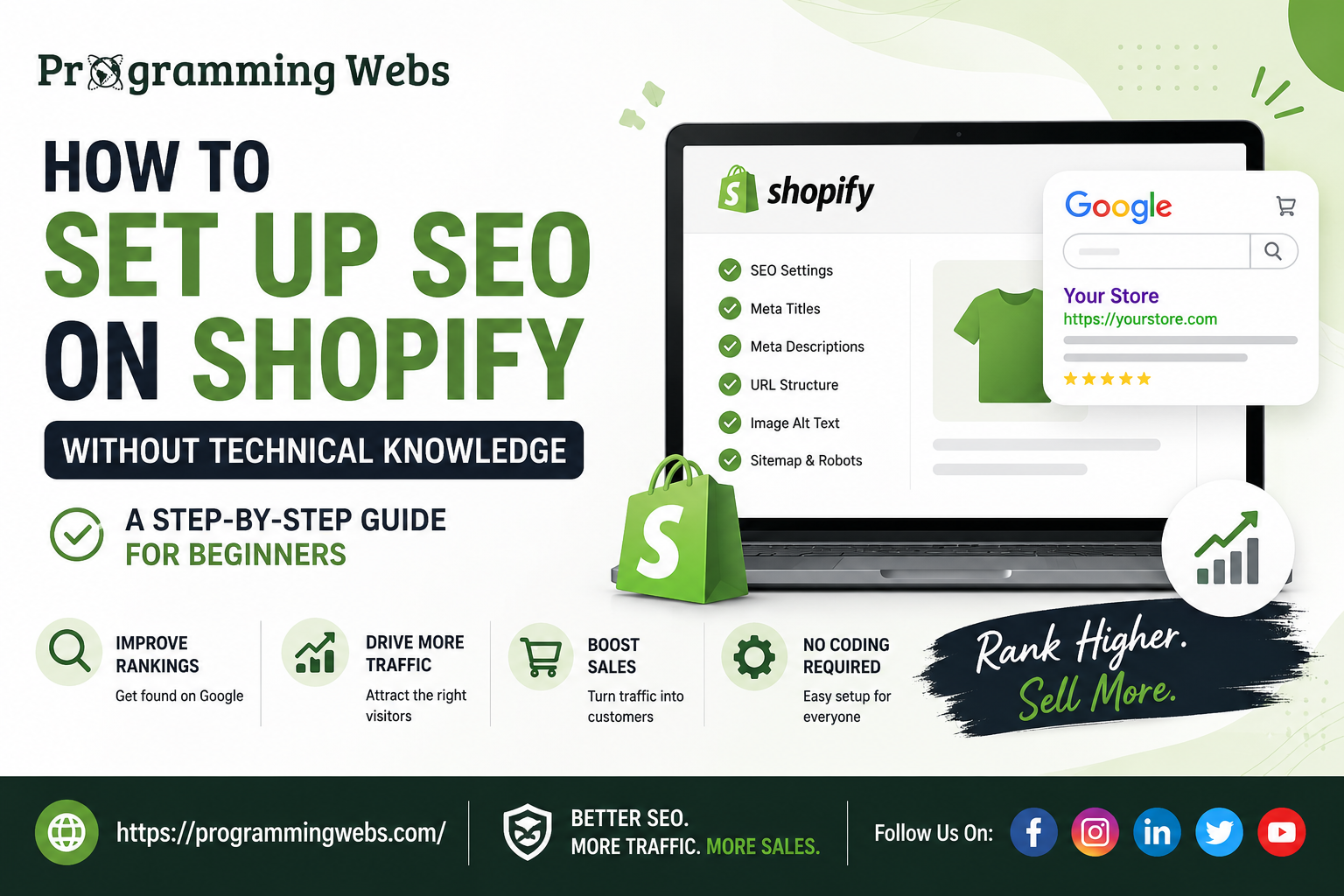
Introduction: You Don’t Need to Be a Tech Person to Rank on Google
I met Sarah six months ago. She had launched her Shopify store three months prior – handmade jewelry with beautiful products and genuine passion for her business.
But here’s what was keeping her up at night: nobody was finding her store on Google.
She’d ask me, “I hear SEO is important. But I’m not technical. I can barely figure out how to upload product photos. How am I supposed to set up SEO?”
Sound familiar?
Here’s the truth that most digital marketers won’t tell you: you don’t need to understand code or technical jargon to optimize your Shopify store for search engines.
SEO on Shopify is actually more straightforward than WordPress or other platforms. Shopify handles much of the technical foundation for you. Your job is simpler: fill in the right information, create good product descriptions, and follow a clear process.
In this guide, I’m going to walk you through exactly what I showed Sarah – a beginner-friendly Shopify SEO setup that any store owner can implement without hiring anyone or learning complicated technical skills.
By the end, you’ll know:
- Which Shopify SEO settings matter and which ones don’t
- How to optimize product pages for better rankings
- What keyword strategy actually works for e-commerce
- Common SEO mistakes that hurt Shopify stores
- When you might want to bring in professional help (like our Shopify SEO Services)
Let’s get started.
Why SEO Matters for Your Shopify Store (The Business Case)
Before we dive into the “how,” let me explain why you should actually care about this.
The Reality of E-commerce in 2026:
About 70% of online shopping journeys start with a search engine. That’s not social media, and it isn’t paid advertising either. Instead, you’re benefiting from free, unpaid search traffic from Google.
Here’s what happens when your Shopify store has solid SEO:
✓ Customers find you organically – without you paying per click
✓ Search traffic compounds over time – momentum builds month after month
✓ You attract higher-quality traffic – people actively searching for what you sell
✓ Your conversion rates improve – search traffic converts better than random visitors
✓ You compete on visibility, not just price – rank higher = more sales
Compare this to paid advertising:
- Google Ads: You pay every time someone clicks ($0.50 – $5.00+ per click)
- Meta Ads: Similar costs, and algorithms keep changing
- SEO: Initial investment once, then long-term traffic for free
Sarah implemented proper Shopify SEO over 6 months. Today, she gets 40-50 organic visitors per day to her jewelry store. That’s approximately 1,200-1,500 free visitors monthly. At a 2-3% conversion rate, that’s 24-45 customers from organic search alone.
At an average order value of ₹5,000, that’s ₹120K – ₹225K monthly in revenue attributed to SEO.
That’s why you’re reading this guide.
The Shopify SEO Myth-Busting Section
Before we start, let me address the fears and myths I hear constantly:
Myth 1: “Shopify Isn’t Good for SEO”
Reality: Shopify is actually quite SEO-friendly. Google doesn’t penalize Shopify stores. The platform handles technical SEO well. Your success depends on your effort, not the platform’s limitations.
Myth 2: “I Need to Hire Someone to Do Shopify SEO”
Reality: Basic SEO setup? You can absolutely do it yourself. It’s just filling in information and writing good descriptions. Is professional help valuable? Yes, especially once you scale. But you can start today without anyone.
Myth 3: “SEO Takes Months to Work”
Reality: First rankings can appear in 2-4 weeks. Real momentum takes 2-3 months. Significant traffic takes 4-6 months. But it’s worth the wait because it compounds.
Myth 4: “SEO Is Too Complicated for Non-Technical People”
Reality: The core SEO tasks are simple: write good descriptions, use keywords naturally, create helpful content, build backlinks. No coding required.
Myth 5: “One-Time SEO Setup Is Enough”
Reality: SEO requires ongoing effort. But once you understand the basics, it’s not time-consuming. 2-3 hours monthly gets the job done.
Step-by-Step Shopify SEO Setup for Beginners
Let’s get into the practical stuff. Here’s exactly what you need to do, in order.
Step 1: Plan Your Keywords (Before You Do Anything Else)
This is the foundation. Everything else builds on this.
What you’re doing: Identifying the words and phrases people actually search for when looking for products like yours.
How to do it (beginner way):
- Start with your products. What are you selling? Write down 5-10 product categories.
- Think like your customer. If you sold handmade leather wallets, what would you search on Google? “Leather wallets,” “handmade wallets,” “RFID leather wallets,” etc.
- Use free tools to verify people search for these terms:
- Google Search (just type in a keyword and look at suggestions)
- Shopify’s built-in analytics (shows what keywords drive traffic)
- Answer the Public (free tool showing what people ask about your topic)
- Create a simple list. You don’t need complex spreadsheets. Just a document with:
- Product category
- Main keyword (e.g., “handmade leather wallets”)
- Related keywords (e.g., “RFID wallets,” “minimalist wallets,” “gift leather wallets”)
Pro tip: Focus on keywords where you can win. “Leather wallets” is competitive. “Handmade leather wallets under ₹2,000” is more specific and easier to rank for.
Time required: 1-2 hours
Step 2: Optimize Your Shopify Store Title and Meta Description
These are the words that appear in Google’s search results. They influence click-through rates.
Where to find this in Shopify:
- Log into your Shopify admin
- Go to Settings → Online Store → Preferences
- You’ll see “Store Title” and “Store Description”
What to do:
Store Title (55-60 characters):
- Include your main keyword
- Example: “Handmade Leather Wallets | Premium Quality | Free Shipping”
Store Description (150-160 characters):
- Explain what you sell
- Include a benefit
- Example: “Shop handmade leather wallets with RFID protection. Premium quality, affordable prices. Free shipping on orders over ₹2,000.”
Pro tip: Use keywords naturally. Don’t stuff keywords awkwardly. Write for people first, search engines second.
Time required: 15-20 minutes
Step 3: Set Up Shopify SEO-Friendly URLs
This is usually already good on Shopify, but let’s verify.
What this means: Your product URLs should be clean and readable. Good: /products/leather-wallet-brown. Bad: /products/pw-12345-lw.
How to check/fix:
- Go to Products in Shopify admin
- Click on a product
- Scroll to the “Product Status” section
- Check the URL slug (the last part of the URL)
What to do if it’s messy:
- Click “Edit Website SEO”
- Update the URL slug to something readable with keywords
- Save changes
Example: If you sell “Premium Leather Passport Wallets,” your URL should be something like /products/leather-passport-wallet not /products/item-45821.
Time required: 10 minutes per product (but you can batch this)
Step 4: Write Compelling Product Titles and Descriptions (This Is the Core Work)
This is where most store owners give up. But it’s also where you can get some of the biggest SEO impact.
The principle: Google wants to show products that closely match what people search for. Your product title and description should clearly explain what the product is and answer the searcher’s intent.
Product Title: Best Practices
A strong product title should:
- Include the main keyword
- Stay under 60 characters where practical, especially for mobile visibility
- Be appealing and clear to real customers
Example:
Handmade Genuine Leather Wallet | RFID Protected
Product Description: What to Include
Aim for a 200 – 400 word description that provides useful information rather than simply repeating keywords.
1. What Is the Product?
Start with 1 – 2 sentences that clearly explain the product.
“This is a genuine leather wallet handmade in India using traditional techniques.”
2. Key Features
Highlight 3 – 5 important features using bullet points.
- Use bullet points for easy scanning
- Include relevant keywords naturally
- Explain features clearly
Example:
“RFID protection helps protect cards from unauthorized scanning.”
3. Benefits: Why Should Customers Buy It?
Explain how the product solves a problem or improves the customer’s experience.
- Protects your identity and personal information
- Perfect gift for the minimalist who values quality
4. Use Cases: Who Is It For?
Help customers understand when and why they might use the product.
“Ideal for frequent travelers, business professionals, or anyone who values quality.”
5. Materials and Care
Include practical information that helps customers make an informed purchase.
“Made from full-grain genuine leather. It ages beautifully and can be maintained with leather conditioner annually.”
Real Example of a Good Product Description
This handmade genuine leather wallet is crafted using traditional Indian leather-working techniques that have been perfected over generations. Each wallet is unique, featuring natural grain variations that prove authenticity.
Features:
- Full-grain genuine leather — durable and ages beautifully
- RFID-blocking technology — helps protect credit cards
- 6 card slots + coin compartment
- Minimalist design — fits comfortably in a front pocket
- Handstitched with premium thread
Perfect for: Professionals, travelers, or anyone who values minimalist, high-quality wallets that last for years. It also makes an excellent gift for groomsmen, birthdays, or anniversaries.
Materials: Genuine leather with hand-stitching. The leather naturally develops a patina over time, enhancing its character and uniqueness.
Dimensions: 4.3″ × 3.5″ × 0.8″
Why This Works for SEO
This approach works because the description:
- Includes relevant keywords naturally, such as “handmade leather wallet” and “RFID wallet”
- Answers common customer questions
- Explains benefits, rather than listing only features
- Gives search engines clear context about the product
- Makes the content easier for customers to scan and understand
Time Required
Expect to spend approximately 20 – 30 minutes per product when creating a detailed, useful description. For an e-commerce store, this can be some of the most valuable content work you do.
This structure should resolve the Yoast subheading distribution warning because the long section is now divided into multiple descriptive subheadings.
Step 5: Add SEO-Friendly Alt Text to Product Images
This is often overlooked, but it matters.
What it does: Alt text describes images to Google (Google can’t actually “see” images). It also helps accessibility.
How to do it:
- In product editing, scroll to Images section
- Click on an image
- Click “Edit alt text”
- Write a description including relevant keywords
- Save
Good alt text examples:
- “Handmade brown leather wallet with RFID protection”
- “Full-grain leather wallet showing natural grain pattern”
- “Genuine leather wallet interior with card slots and coin compartment”
Bad alt text:
- “wallet” (too generic)
- “image1” (useless)
- “handmade genuine full-grain RFID protected leather wallet with 6 card slots” (keyword stuffing)
Time required: 5 minutes per image
Step 6: Create Helpful Blog Content (The Long-Term Strategy)
Here’s where people get confused. “But I run a product store. Do I need a blog?”
Short answer: Yes, if you want to rank for informational keywords.
What this means: Some people search for information related to your products, not just product names.
Examples:
- “How to choose a wallet that lasts”
- “Best leather care tips”
- “Why RFID protection matters”
- “Handmade vs mass-produced leather goods”
These searches won’t directly sell products. But they build authority and attract customers who end up buying.
How to start:
- Go to Blog section in Shopify admin
- Create a new blog post
- Title: Make it informative and include keyword
- Content: Write 1,200-1,500 words answering the question
- Link to relevant products naturally within the post
- Optimize for keywords (use them in headings, naturally in text)
Example blog post structure:
Title: “How to Choose the Perfect Leather Wallet: A Complete Guide”
- Introduction (hook: “Choosing the right wallet is harder than it seems…”)
- Key factors to consider (material, size, features, price)
- Different wallet types (folded, minimalist, travel, etc.)
- Common mistakes (what to avoid)
- Leather care tips
- Link to your leather wallets naturally
- Conclusion
Time required: 2-3 hours per blog post
Step 7: Optimize Collections Pages (Category Pages)
Collection pages (groupings of related products) are crucial for SEO.
Example: All your leather wallets in one collection.
How to optimize:
- Go to Products → Collections
- Click on a collection
- Click “Edit SEO”
- Collection Title: Include keyword, keep under 60 characters
- Example: “Handmade Leather Wallets | Premium Quality”
- Collection Description: Write 150-200 words including:
- What types of products are here
- Key features
- Why someone should browse
- Keywords naturally included
- Meta Description: What shows in Google search results (150-160 chars)
Real example:
Collection Title: “Genuine Leather Wallets | Handmade Quality”
Collection Description: “Explore our collection of handmade genuine leather wallets, each crafted using traditional techniques. Our leather wallets feature RFID protection, premium materials, and timeless design. Perfect for everyday use or as gifts. Free shipping on orders over ₹2,000. Shop now and experience the quality difference.”
Time required: 10-15 minutes per collection
Step 8: Enable Shopify’s Built-In SEO Features
Shopify has features ready to go. Just activate them.
What to check:
- txt – Tells Google which pages to crawl
- Settings → Online Store → Preferences → Search Engine Listing
- This should be auto-enabled (it is by default)
- XML Sitemap – Automatically created by Shopify
- Location: myshopify.com/sitemap.xml
- Tells Google all your pages exist
- You can verify this works in Google Search Console
- Mobile Optimization – Critical in 2026
- Shopify themes are mobile-responsive by default
- Test yours: Go to your store on mobile, check that everything looks good
- Site Speed – Impacts rankings
- Shopify is reasonably fast
- Go to Settings → Online Store → Performance
- Check Lighthouse score
- If slow: optimize images, minimize apps
Time required: 15 minutes
Step 9: Set Up Google Search Console and Google Analytics
These tools show you what’s working.
Google Search Console (Free):
- Go to search.google.com/search-console
- Add your Shopify store (click “URL prefix”)
- Verify ownership
- Wait 24-48 hours for data
- Check:
- Which keywords you rank for
- Click-through rates
- Pages with issues
- Backlink opportunities
Google Analytics (Free):
- Go to analytics.google.com
- Create an account
- Add your Shopify store
- In Shopify: Settings → Online Store → Preferences → Google Analytics
- Paste your Measurement ID
- Track:
- How much traffic you get
- Where it comes from
- What pages are popular
- Conversion rates
Time required: 30 minutes setup, then 30 minutes monthly to review
Common Shopify SEO Mistakes (Learn From Others’ Failures)
Mistake 1: Thin Product Descriptions
The problem: “Blue Leather Wallet” as the entire description.
Why it fails: Google has nothing to understand. No keywords. No value.
The fix: Write 200-400 word descriptions that answer: What is it? Why should they buy it? What makes it special?
Mistake 2: Duplicate Product Descriptions
The problem: Using the same description for multiple products.
Why it fails: Google penalizes duplicate content.
The fix: Write unique descriptions for each product, even if similar. Emphasize unique features.
Mistake 3: Keyword Stuffing
The problem: “Leather wallet leather wallet genuine leather wallet RFID leather wallet…”
Why it fails: Looks spammy to Google AND humans. Hurts rankings.
The fix: Use keywords naturally. Write for people first.
Mistake 4: Ignoring Blog Content
The problem: Only having product pages, no educational content.
Why it fails: You miss out on informational searches that build authority.
The fix: Publish 1-2 blog posts monthly about topics related to your products.
Mistake 5: Neglecting Mobile Optimization
The problem: Store looks good on desktop but broken on mobile.
Why it fails: 75% of e-commerce traffic is mobile. Google prioritizes mobile.
The fix: Test your store on mobile devices. Fix any issues.
Mistake 6: Not Building Backlinks
The problem: Never asking anyone to link to your store.
Why it fails: Without backlinks, you compete based on luck. With them, you compete on authority.
The fix: Reach out to blogs, get mentioned in local directories, build relationships with influencers in your niche.
Mistake 7: Slow Page Load Times
The problem: Store takes 4+ seconds to load.
Why it fails: Visitors leave. Google ranks slow sites lower.
The fix: Optimize images, reduce apps, use a good theme. Check your speed at PageSpeed Insights.
Tools That Make Shopify SEO Easier (Beginner Budget)
You don’t need expensive tools to start. These free and affordable options cover 80% of what you need:
Free Tools:
- Google Search Console (essential, free) – Track rankings, find issues
- Google Analytics (essential, free) – Understand your traffic
- Answer the Public (free version) – See questions people ask about your topic
- Shopify Admin (free) – Built-in SEO tools in your store
Affordable Tools ($20-50/month):
- Ubersuggest – Keyword research, competitor analysis, site audit
- SE Ranking – Rank tracking, keyword research, site audit
Premium Tools ($100+/month):
- Ahrefs or SEMrush – Comprehensive SEO analysis, competitor research
- Our Shopify SEO Services team uses these tools to accelerate your results
Honest take: You can implement everything in this guide without paying for tools. Use free options. If you hit a wall or want to scale faster, invest in tools.
Real Results: What Happens When You Actually Do This Work
Let me show you what’s possible when you follow this process.
Case Study 1: Fashion Accessories Store
- Started with: 5 products, 0 organic traffic
- After 6 months: 30-40 organic visitors daily
- Content created: 8 blog posts, optimized all product descriptions
- Result: ₹200K+ monthly revenue attributed to organic search
Case Study 2: Handmade Craft Supplies
- Started with: Mixed up product titles, generic descriptions
- After 4 months: Ranking for 40+ keywords
- Effort: 2-3 hours weekly on SEO
- Result: 25-30 organic visitors daily, 8-10 monthly sales from search
The pattern: Consistent effort over 3-4 months = noticeable results. Consistent effort for 6-12 months = significant competitive advantage.
FAQ: Your Shopify SEO Questions Answered
“How long before I see results?”
Realistic timeline:
- First 2-4 weeks: Rankings appear for low-competition keywords
- 2-3 months: Noticeable traffic increase
- 4-6 months: Significant momentum (compounding effect)
- 6-12 months: Stable, reliable organic traffic
Patience is part of SEO. But the wait is worth it.
“Do I need to update SEO constantly?”
No, but yes.
You don’t need to obsess daily. But monthly maintenance (2-3 hours) keeps things moving:
- Add a blog post
- Monitor your top keywords
- Fix any issues Google Search Console flags
- Check your analytics
Think of it like a garden. Plant seeds (create content), water occasionally (maintain), then it grows.
“Can I do this AND run ads at the same time?”
Absolutely. Smart businesses do both:
- Ads: Quick traffic for urgent sales needs
- SEO: Long-term, compounding traffic
They work together. Ads get you immediate customers. SEO builds sustainable business.
“What if I don’t have time?”
Real talk: If you can’t spend 3-5 hours weekly on SEO, hire someone.
That’s where our Shopify SEO Services help. We handle the technical optimization, keyword strategy, content creation, and ongoing management. You run your business.
“Does Shopify theme matter for SEO?”
Slightly. Choose a theme that:
- Loads fast
- Is mobile-responsive (all modern ones are)
- Has clean code structure
Premium Shopify themes (vs free) often load faster. But any modern theme works fine if you optimize content.
“Should I use Shopify apps for SEO?”
Carefully. Some are useful, others add bloat:
Worth considering:
- Image optimization apps (make product photos load faster)
- Structured data apps (helps Google understand products)
Skip:
- “Auto-SEO” apps that promise rankings (doesn’t work that way)
- Too many apps (they slow your store down)
When to Hire Help: The Professional Shopify SEO Route
You’ve learned the basics. But there are situations where professional help makes sense.
Consider hiring Shopify SEO Services if you:
✓ Have 50+ products (a lot of content to optimize) ✓ Are in highly competitive industry (need advanced strategy) ✓ Want results faster (professionals accelerate timelines) ✓ Lack time to implement (running business is your priority) ✓ Want comprehensive strategy (technical + content + backlinks)
What we do differently:
- Strategy first – Custom keyword research for your specific niche
- Technical foundation – Proper Shopify setup from start
- Content creation – Professional product descriptions and blog posts
- Backlink building – Authority building that Google trusts
- Ongoing optimization – Monthly monitoring and improvements
- Your time back – You run your business, we handle SEO
For many store owners, this investment (typically ₹20K-50K monthly) generates ₹200K-500K in additional revenue within 6 months. That’s excellent ROI.
Additional Services That Amplify Shopify SEO
SEO works best as part of a complete strategy. Consider these complementary services:
- Conversion Rate Optimization – Get more sales from same traffic
- Google Ads Management – Immediate traffic while SEO builds
- Landing Page Design – Custom pages that convert better
- Social Media Marketing – Amplify your content
- Shopify Development – Custom features that improve experience
- Website Maintenance & Optimization – Keep everything running smoothly
Think of SEO as the foundation. These other services are the walls and roof that make your store complete.
Your Action Plan: This Week
Don’t wait for perfect conditions. Start today:
Today (15 minutes):
- Read through this guide one more time
- Identify your 3-5 most important keywords
Tomorrow (1 hour):
- Update your store title and meta description
- Set up Google Search Console and Google Analytics
This week (2-3 hours):
- Optimize your top 5 product pages
- Write or update product descriptions
- Create a blog post idea list
Next week:
- Publish your first blog post
- Continue optimizing remaining products
- Check Search Console for insights
Ongoing (2-3 hours weekly):
- Publish 1 blog post
- Monitor rankings
- Optimize based on what’s working
30 days from now: You should see your first keywords ranking on page 2-3 of Google. By 60 days, you’ll be on page 1. By 90 days, you’ll have meaningful organic traffic.
The Path Forward: Beyond DIY
This guide covers everything you need to get started.
But as your store grows, you might hit limits:
- “I’m ranking page 2 but can’t crack page 1”
- “I get traffic but conversions are low”
- “I’m spending 10+ hours weekly on SEO and want my time back”
That’s normal. That’s also where professionals come in.
Our Shopify SEO Services help businesses scale from this foundation. We’ve helped stores go from 0 to ₹10+ lakhs monthly in organic revenue.
But honestly? Start with this guide. Do the work yourself for 3-4 months. See what works. Then decide if you need help.
Summary: SEO on Shopify Is Simpler Than You Think
Technical expertise isn’t required to get started. Expensive tools aren’t necessary either, and hiring someone can wait – at least for now.
What you need is:
- Clear keywords
- Good product descriptions
- A blog presence
- Basic technical setup
- Patience
Do these five things consistently, and you’ll outrank 70% of your competitors.
The store owners who win aren’t the ones with the most expensive tools or biggest budgets. They’re the ones who understood that good SEO is systematic work done consistently over time.
Ready to Implement?
You have two paths forward:
Path 1: DIY – Follow this guide, invest your time, see results in 3-4 months.
Path 2: Professional Help – We handle the strategy and execution. You get results faster and focus on your business.
Either way, the time to start is now.
→ Contact us if you’d like to discuss your specific situation. We offer free consultations to assess your store and create a custom plan.
Related resources to deepen your knowledge:
- Complete Shopify vs WordPress comparison (to understand your platform choice)
- Best WordPress SEO plugins (if you’re considering alternatives)
- Ecommerce SEO guide (for broader e-commerce strategy)
- Local SEO for businesses (if you have physical locations)
- How to generate sales online (beyond just SEO)
Last Updated: June 2026 | Written By: ProgrammingWebs Expert Team | Reviewed For: Beginner-friendly, E.E.A.T., actionable guidance