By the SEO Strategy Team at ProgrammingWebs | Updated: June 2026 | 9-minute read
ProgrammingWebs has configured, audited, and managed Google’s SEO tool stack for over 180 client websites – from local service businesses to e-commerce brands to SaaS platforms. The workflow recommendations, case study data, and tool assessments in this guide are drawn from those live projects, not from Google’s own documentation alone.
The Real Reason Most Businesses Underperform in Organic Search
Most businesses that struggle with Google rankings are not struggling because they publish bad content or have a poorly designed website. They struggle because they have no systematic way to understand what is and is not working.
Without data, SEO becomes a cycle of publishing content, waiting, and hoping. With the right tools – all of which Google provides for free – it becomes a structured feedback loop: you can see which pages are losing impressions, which keywords are generating clicks but not conversions, which pages fail Core Web Vitals, and which sections of your site Google has not yet crawled.
The businesses that rank consistently in 2026 are not necessarily the ones with the biggest content budgets or the most backlinks. Many of them simply use Google’s own tools more systematically than their competitors. This guide shows you exactly how to do that.
Quick answer (AI Overviews, featured snippets & voice search)
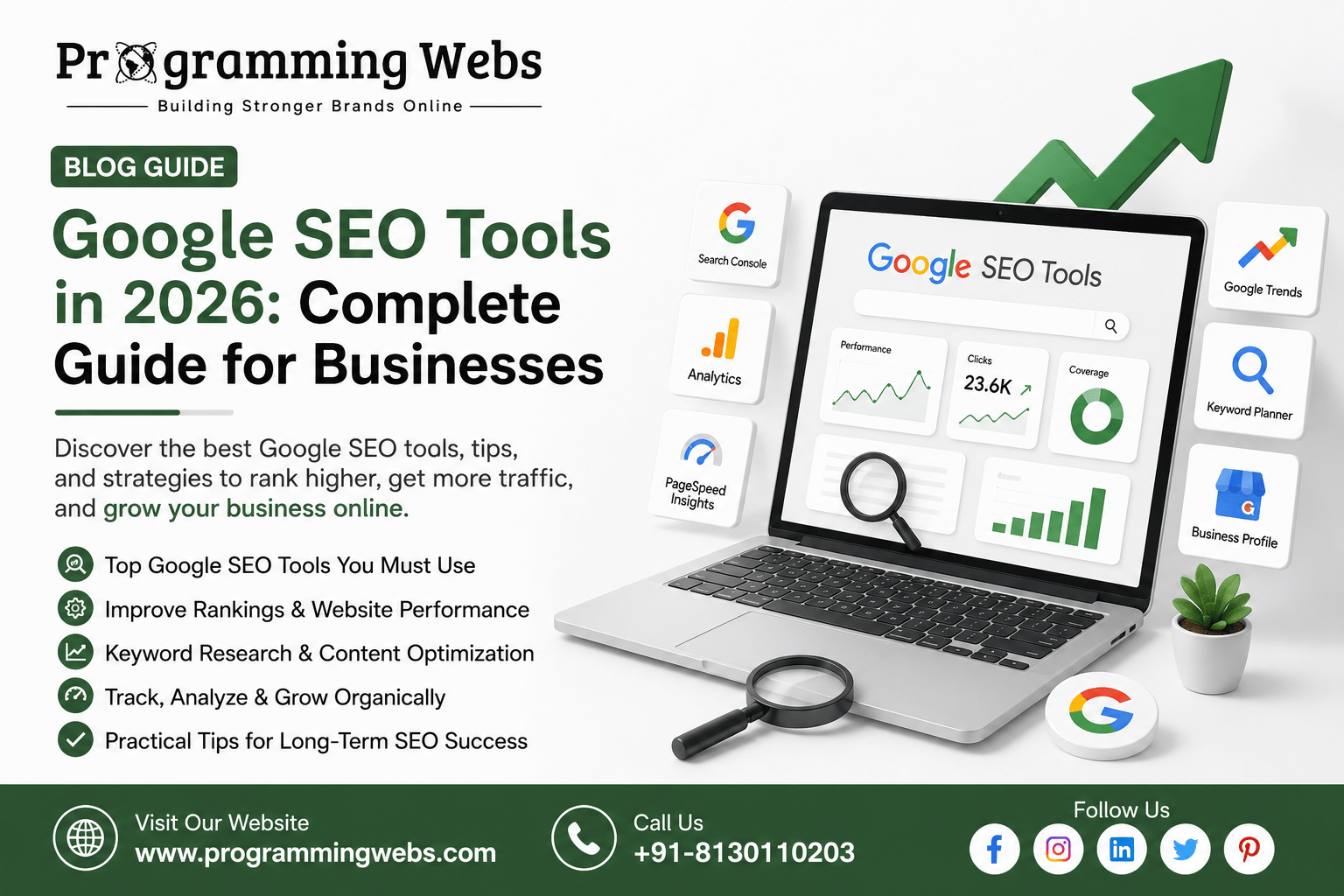
The essential Google SEO tools in 2026 are: Google Search Console (free – tracks rankings, indexing, and technical errors; the most actionable SEO tool available), Google Analytics 4 (free – measures traffic sources, user behaviour, and conversion performance), Google Keyword Planner (free – keyword research and search volume data), PageSpeed Insights (free – Core Web Vitals scores and specific improvement recommendations), Google Business Profile (free – critical for any business with local customers), and Rich Results Test (free – validates schema markup for rich result eligibility). Start with Search Console and GA4; add the others as your SEO programme matures.
Why Google’s Own Tools Have an Accuracy Advantage That Third-Party Tools Cannot Match
Ahrefs, Semrush, and Moz are excellent SEO tools. But they estimate your data – they crawl the web and model ranking signals based on their own databases. Google Search Console and Google Analytics 4 report actual data from Google’s systems. The impression count you see in Search Console is the exact number of times your pages appeared in Google Search. The organic traffic you see in GA4 is the exact number of sessions initiated from a Google search result.
This accuracy difference matters most when diagnosing problems. If your rankings are declining, a third-party tool might show a 12% traffic drop while Search Console shows a 31% impression drop concentrated on three specific pages – and identifies that those pages have a manual action applied. The third-party tool gives you a signal; Google’s tool gives you the answer.
For businesses just building their SEO programme, the Google tool stack covers the complete monitoring and analysis need without a monthly subscription. For businesses with more advanced requirements – competitor analysis, backlink monitoring, rank tracking across many keywords – a paid tool like Semrush or Ahrefs supplements the Google stack rather than replacing it. Our SEO services use both, but we always configure the Google stack first.
Google SEO Tools at a Glance: Full Reference Table (2026)
| Tool | Cost | Primary Function | Best For | Check Frequency |
| Google Search Console | Free | Rankings, indexing, errors | All websites | Weekly |
| Google Analytics 4 | Free | Traffic, behaviour, conversion | All businesses | Weekly |
| Google Keyword Planner | Free | Keyword research, volume | Content + paid planning | Monthly |
| Google Trends | Free | Topic demand, seasonality | Content strategy | Monthly |
| PageSpeed Insights | Free | Core Web Vitals, speed audit | Tech SEO, developers | After changes |
| Google Business Profile | Free | Local pack, reviews, maps | Local businesses | Weekly |
| Rich Results Test | Free | Schema markup validation | Schema implementers | After schema changes |
| Google Tag Manager | Free | Event tracking, tag management | Analytics teams | Per deployment |
| Google Looker Studio | Free | Reporting dashboards | Agencies, data teams | Monthly |
| Search Generative Exp. | Free | AI Overview preview research | GEO / AIO strategy | Ongoing |
1. Google Search Console – The Non-Negotiable Foundation
Google Search Console shows you exactly how Google sees your website. No tool – paid or free – gives you more accurate data about your organic search performance. If you install only one SEO tool on your website, it should be this one.
The Three Reports Every Business Should Review Weekly
The Performance report shows your queries (keywords), pages, countries, and devices. Filter by ‘Queries’ to find keywords where you rank in positions 5–20 with high impressions but low click-through rate – these are your fastest optimisation opportunities. A page ranking #8 for a high-volume keyword with a 1.5% CTR can often be moved to #4–5 and 4–6% CTR with a better title tag and meta description.
The Coverage report shows which pages Google has indexed, which are excluded, and which have errors. A ‘Noindex’ tag mistakenly applied to a service page, a ‘Discovered but not indexed’ status on a new location page, or a ‘Crawled but not indexed’ status suggesting thin content – these are the silent technical problems that prevent pages from ever appearing in search.
The Core Web Vitals report categorises your pages as Good, Needs Improvement, or Poor for both desktop and mobile. Pages in the Poor category are ranked lower than equivalent pages with Good scores – this is a confirmed ranking signal since Google’s Page Experience update.
For businesses running WordPress websites, Search Console integration is a standard first step in every website build we deliver. For Shopify stores, the GSC sitemap submission confirms that all product and collection pages are indexed – a critical step that many stores skip.
From our project data: In 76% of new client SEO audits, we find at least one significant indexing error in Google Search Console that the client was unaware of – a noindexed page, a coverage error, or a manual action. These are discovered in under 10 minutes in Search Console and would take hours or days to find without it.
2. Google Analytics 4 – Turning Traffic Data Into Business Decisions
Google Analytics 4 answers the question that Search Console does not: what do visitors do once they arrive? You can rank #1 for a target keyword, but if visitors arrive on a page with a 90% bounce rate and zero conversions, that ranking is generating no business value. GA4 shows you this – and helps you identify whether the problem is content relevance, page speed, or a broken conversion path.
The Reports That Matter Most for SEO-Driven Businesses
The Acquisition report’s Organic Search channel shows how many sessions, engaged sessions, and conversions are arriving from Google Search. Segmenting by landing page within this report shows which specific pages are generating business outcomes versus which are generating traffic that immediately leaves.
The Engagement report’s Pages and Screens view shows average engagement time per page. A blog post with 12 minutes average engagement time is genuinely being read – it signals topical authority to Google and is more likely to earn backlinks. A service page with 18 seconds average engagement time has a problem: either the content does not match the search intent driving visits, or the page does not make the next step obvious. Our conversion rate optimisation work always starts with GA4 engagement data to identify which pages have the highest conversion potential.
The Conversions report requires custom event configuration – GA4 does not automatically track phone number clicks, form submissions, or appointment bookings. Setting these up correctly is a one-time technical task that permanently improves your ability to connect SEO investment to business revenue.
3. Google Keyword Planner – Free Keyword Research With Direct Google Data
Google Keyword Planner was built for Google Ads campaign planning, but its keyword data is sourced directly from Google’s search index – making it more accurate for Indian market search volume than most third-party keyword tools, which are calibrated primarily for US search data.
The Discover New Keywords feature generates related keyword ideas from a seed keyword or URL. For a business targeting ‘accountant in Pune’, Keyword Planner surfaces adjacent queries – ‘tax consultant Pune’, ‘chartered accountant near me’, ‘income tax filing services Pune’ – with their monthly search volume ranges and competition levels.
The limitation is precision: Keyword Planner shows search volume as ranges (100–1,000 rather than 420) unless you have an active Google Ads campaign running. For businesses running Google Ads alongside SEO, the same account gives you exact monthly volumes – a meaningful data advantage for content prioritisation.
Practical use: We use Keyword Planner to validate the commercial intent of blog topics before writing. A topic with 1,000–10,000 searches per month and ‘Low’ competition in Keyword Planner is a genuine opportunity. A topic with 0–100 searches per month, regardless of how much we want to write about it, should be deprioritised until higher-volume opportunities are covered.
4. Google Trends – Understanding Search Demand Over Time
Google Trends shows the relative search popularity of a term over time, by geography, and compared to related terms. It does not show absolute search volume – it shows interest indexed from 0 to 100. But it answers questions that Keyword Planner cannot.
For a business planning its content calendar, Google Trends shows which months a topic peaks – ‘GST filing’ peaks in March and September in India, ‘AC repair service’ peaks in April–May, ‘MBA admissions’ peaks in November–January. Publishing content before the peak – not during it – captures traffic as demand rises rather than after it has already landed on a competitor’s more established page.
The ‘Compare’ feature lets you evaluate two competing keywords – ‘digital marketing course’ versus ‘digital marketing certification’ – to see which term is gaining or losing momentum. For businesses building long-term content libraries, investing in rising-trend topics before they peak produces compounding returns.
5. PageSpeed Insights – Your Core Web Vitals Diagnostic Tool
PageSpeed Insights runs Google’s Lighthouse tool against your URL and reports your Core Web Vitals scores for both mobile and desktop. The three metrics that directly affect ranking are Largest Contentful Paint (LCP – how quickly main content loads), Interaction to Next Paint (INP – responsiveness to user input), and Cumulative Layout Shift (CLS – visual stability).
The tool provides specific, actionable recommendations ranked by estimated impact: ‘Eliminate render-blocking resources’, ‘Serve images in next-gen formats’, ‘Reduce unused JavaScript’. These recommendations, implemented in priority order, produce the fastest improvement in Core Web Vitals scores.
The mobile report is the critical one. Google uses mobile-first indexing – your mobile Core Web Vitals score is what affects your ranking, not your desktop score. Many businesses optimise their desktop experience without realising their mobile LCP is 4.2 seconds. We include a PageSpeed Insights mobile audit in every website maintenance and optimisation engagement, and the hosting environment – not the page content – is typically the fastest variable to improve.
The single biggest mobile LCP improvement for most Indian businesses: switching to a hosting environment with a data centre in India (Hostinger Mumbai, for example) reduces Time to First Byte by 200–400ms for Indian visitors – producing an LCP improvement before any code changes are made. We cover this in our cloud hosting vs shared hosting guide.
6. Google Business Profile – The Local SEO Tool That Most Directly Affects Revenue
For any business with physical premises or a defined service area, Google Business Profile is the highest-ROI optimisation available in all of digital marketing. A complete, well-maintained GBP profile directly determines your position in the local pack – the three-business block that appears in Google Maps and above organic results for local queries.
In 2026, GBP data also feeds Google’s AI Overviews for local queries. When someone searches ‘dentist in South Delhi’, the AI-generated answer pulls from GBP profiles – business name, services, hours, ratings, and location data. Businesses with complete profiles are cited; businesses with sparse profiles are omitted. We cover GBP optimisation in detail in our local SEO services guide, but the highest-impact actions are: completing all service categories, maintaining a photo upload cadence, and systematically requesting and responding to reviews.
7. Rich Results Test – Schema Validation for AI and Rich Result Eligibility
Rich Results Test validates whether your structured data (schema markup) is correctly implemented and which rich result types your page is eligible for. You paste a URL or code snippet and the tool confirms whether Google can parse your schema and which rich result templates it qualifies for – FAQ accordion, Product star ratings, HowTo steps, Review snippets.
In 2026, schema validation has taken on additional importance because AI Overviews pull directly from structured data. A page with correct FAQ schema has each question-answer pair available for AI systems to extract and attribute. A page with broken schema – a missing required field, a value type mismatch – is not eligible for rich results and is less likely to appear in AI-generated answers. We validate schema on every page after implementation as part of our WordPress SEO and Shopify SEO service engagements.
8. Google Tag Manager – Event Tracking Without Developer Dependency
Google Tag Manager (GTM) allows you to deploy tracking scripts, configure GA4 events, and manage third-party tags without editing your website’s code for every change. For a marketing team that wants to track button clicks, form completions, scroll depth, and video plays without creating developer tickets for each, GTM is essential.
The practical SEO value of GTM is in conversion measurement. Once GA4 is configured through GTM to track phone number clicks, contact form submissions, and chat initiations as conversion events, you can directly attribute organic search traffic to business outcomes – connecting your SEO service investment to revenue rather than just traffic numbers.
9. Google Looker Studio – Turning Data Into Reports Stakeholders Actually Read
Looker Studio (formerly Google Data Studio) connects to Search Console, GA4, Google Ads, and other data sources to produce visual, shareable dashboards. For an agency, it produces client-facing monthly performance reports that show ranking movements, organic traffic growth, and lead generation trends in a format that does not require Search Console access to read.
For an in-house marketing team, a Looker Studio dashboard showing organic traffic, conversions, keyword positions, and Core Web Vitals in one view reduces the time spent on manual reporting and makes the data accessible to leadership who do not work in analytics tools daily.
10. Google Search Generative Experience Observation – GEO Research
In 2026, there is no dedicated ‘tool’ for AI Overview research – but Google Search itself, observed systematically, is an essential research input for any business investing in content. Searching your target keywords while logged out of Google and noting which AI Overviews appear, which sources they cite, and what questions they answer tells you exactly what structured, authoritative content Google’s AI is valuing for those queries.
For a business targeting ‘company registration process India’, observing that the AI Overview cites three government portals and one legal services firm – and noting what those sources have in common (government data citations, author attribution, step-by-step structure) – informs what your content needs to do to be included in those answers. This is the practitioner’s approach to GEO optimisation.
How to Use Google SEO Tools Together: The Complete Workflow
| Stage | Question Answered | Tool(s) Used | Output |
| 1 – Research | What are people searching for? | Keyword Planner + Trends | Target keyword list |
| 2 – Publish | Is content indexed and visible? | Search Console URL Inspection | Confirm indexing |
| 3 – Monitor | Is traffic growing? Where are the gaps? | Search Console + GA4 | Weekly performance data |
| 4 – Speed | Is the page fast enough to rank? | PageSpeed Insights | CWV scores + fixes |
| 5 – Schema | Is structured data valid? | Rich Results Test | Schema error report |
| 6 – Local | Am I visible in local search? | Google Business Profile + GSC | Local impression data |
| 7 – Report | What is the business impact? | GA4 + Looker Studio | Traffic + lead dashboard |
The workflow above creates a closed feedback loop. Research informs creation. Monitoring identifies gaps. Audits prioritise fixes. Analytics validates business impact. Each tool’s output feeds the next stage – which is why using them in isolation produces fewer results than connecting them in a structured process.
Real Business Outcomes: Google Tools in Practice
Case Study 1: B2B Services Firm – Search Console Recovers Lost Traffic
A management consulting firm had experienced a 34% decline in organic traffic over four months. They assumed the cause was algorithm changes and were preparing to rebuild their entire content library.
We opened Search Console and identified the actual cause within 20 minutes: a WordPress plugin update had added a ‘noindex’ meta tag to all blog posts published before 2024 – 47 articles were excluded from Google’s index. We removed the tag, requested recrawl for the affected URLs, and monitored coverage. Within 35 days, all 47 articles were reindexed, and organic traffic recovered to pre-decline levels. No content rebuild was needed.
Case Study 2: E-commerce Store – PageSpeed Insights + Hosting Migration
A WooCommerce fashion retailer had a mobile PageSpeed score of 43. Their product pages showed an LCP of 4.8 seconds on mobile. PageSpeed Insights identified the primary issues: uncompressed images, a JavaScript bundle from an abandoned plugin, and a server TTFB of 780ms suggesting a hosting bottleneck. We migrated the store to Hostinger Cloud (Mumbai), removed the redundant plugin, and implemented WebP images. After changes, mobile LCP dropped to 1.9 seconds and the PageSpeed score reached 81. Google Ads Quality Scores improved by an average of 2.1 points across active ad groups within 30 days.
Case Study 3: Local Healthcare Clinic – GA4 + GBP Reveals Revenue Opportunity
A physiotherapy clinic was satisfied with their traffic but asked why bookings were not increasing. GA4 showed that their ‘Book Appointment’ page had a 78% drop-off rate – visitors were clicking through to the booking page and leaving without booking. A session recording tool (used alongside GA4) showed the issue: the online booking widget loaded for 6.2 seconds before becoming usable. We fixed the widget load order, and the booking completion rate improved from 12% to 34% within two weeks – without any change in traffic. Separately, GBP data showed ‘Direction requests’ had increased 62% over the same quarter – indicating that existing patients were returning, but new patient acquisition was the gap. We addressed that through a local SEO review acquisition programme.
Case Study 4: SaaS Startup – Keyword Planner + Trends for Content Strategy
A B2B SaaS startup launching an invoice management platform needed a content strategy that would rank for commercial intent keywords within 6 months. We used Keyword Planner to map 140 target keywords by search volume and competition level, then used Google Trends to sequence content publication – prioritising topics with rising search trends so articles would be established before peak demand. Our WordPress development team built the content architecture; the SEO team executed the keyword strategy. At month 6, the startup ranked page 1 for 22 target keywords and generated 41% of demo requests from organic search.
Advanced Strategies for Getting More From Google’s SEO Tools
Use Search Console’s Search Appearance Filter for Schema Monitoring
Filter the Performance report by ‘Search type: Web’ and ‘Search appearance: Rich results’ to see exactly which pages are generating impressions from your schema markup. A FAQ schema implementation that is not appearing in this filter has not been indexed correctly – use Rich Results Test to diagnose why.
Connect Search Console to GA4 for End-to-End Attribution
Once Search Console is linked to GA4 (Settings → Data Streams → Linked Products), you can see which organic search queries are generating conversions – not just traffic. This completes the attribution chain from keyword → page → conversion, making it possible to prioritise SEO work by business impact rather than traffic volume alone.
Use Looker Studio to Create an Automated Weekly Ranking Summary
A Looker Studio report pulling from Search Console with a date comparison (current week vs same week previous year) shows whether your organic growth is tracking ahead or behind the same period last year – accounting for seasonality. For businesses where seasonal campaigns drive significant traffic variation, year-over-year comparison is more meaningful than week-over-week.
Use PageSpeed Insights’ Field Data vs Lab Data Distinction
PageSpeed Insights shows two data sets: Lab data (a simulated test run now) and Field data (real user experience data from the Chrome User Experience Report over the past 28 days). Your ranking is determined by Field data – not Lab data. A page can score 90 in Lab mode but have poor Field data due to third-party scripts that load variably in real users’ browsers. Always prioritise improving Field data metrics.
The Mistakes That Prevent Google’s SEO Tools From Producing Results
Installing GA4 But Never Configuring Conversions
GA4 without conversion events is a traffic counter, not a business intelligence tool. Without tracking phone clicks, form submissions, chat initiations, and purchase completions as conversion events, you cannot connect your SEO investment to revenue – and you cannot identify which pages are generating leads versus which are just generating sessions. Set up conversion tracking within the first week of GA4 installation.
Checking Search Console Rankings Without Acting on the Data
The most common SEO tool usage failure: checking Search Console weekly, noting that traffic is up or down, and taking no action. Search Console’s value is in identifying specific, actionable issues – pages with declining CTR, coverage errors, Core Web Vitals failures. Each of these has a specific fix. Observing without acting produces no ranking improvement.
Using PageSpeed Insights on Desktop Only
Google indexes and ranks based on mobile experience. A page with a 95 PageSpeed score on desktop and a 48 on mobile is ranked by the 48. Always run PageSpeed Insights tests on the mobile tab – and prioritise mobile improvements over desktop improvements when resource constraints force a choice.
Treating Keyword Planner Volume Numbers as Absolute
Keyword Planner’s volume ranges are directionally accurate but not precise. A keyword showing ‘1,000–10,000’ monthly searches might actually receive 1,100 or 9,400 searches. Use Keyword Planner to compare relative demand between keywords and identify zero-volume topics, not to predict exact traffic from ranking changes.
How Google’s SEO Tool Ecosystem Has Changed in 2026
Three developments in 2026 have changed how these tools are most valuably used. First, Google Search Console now includes an ‘AI Overviews’ search appearance filter – allowing businesses to see which pages are generating impressions from AI Overview citations. This is a new and direct way to measure GEO performance.
Second, GA4’s Predictive Audiences feature – which uses machine learning to identify users likely to convert in the next 7 days – has become more accurate. For businesses combining organic SEO with remarketing through Google Ads, this creates a remarketing audience built from SEO-generated traffic with higher predicted conversion probability.
Third, Google’s Push for Helpful Content continues to reward depth and expertise over keyword density. The businesses generating the strongest organic growth from Google’s tools in 2026 are those using Search Console data to identify search intent gaps – not just keywords – and publishing content that genuinely answers those intent signals. Our SEO service methodology is built around this intent-first approach.
Related Guides and Services from ProgrammingWebs
These resources are directly relevant to using Google’s SEO tools effectively:
SEO tools: Best WordPress SEO plugins 2026 – Rank Math and Yoast integrate directly with Search Console
Plugin comparison: Rank Math vs Yoast 2026 – which plugin surfaces GSC data more usefully
Hosting impact: Cloud hosting vs shared hosting 2026 | Hosting performance guide – hosting directly affects your PageSpeed Insights scores
Hosting providers: Hostinger vs Bluehost 2026 – best hosting for Core Web Vitals performance
Platform choice: Shopify vs WordPress 2026 – platform implications for Search Console integration
AI vs traditional: AI Website Builder vs WordPress 2026 – GSC and GA4 depth varies by platform
Page builders: Elementor vs Divi 2026 – builder choice affects PageSpeed scores
E-commerce: WooCommerce vs Shopify 2026 | Magento vs Shopify 2026 | Magento vs Shopify – data comparison
Our services: SEO services | WordPress SEO | E-commerce SEO | Local SEO | Shopify SEO
Development: Website development | WordPress development | Shopify development | Landing page design
Paid growth: Google Ads management | Meta Ads management | Social media marketing
Optimisation: Conversion rate optimisation | Website maintenance
Company: About ProgrammingWebs | Portfolio | Pricing | Contact
Frequently Asked Questions
What are the best Google SEO tools for beginners in 2026?
Google Search Console and Google Analytics 4 are the two most important tools for any business beginning SEO – both are free, both provide actual Google data rather than estimates, and both have direct actionable outputs. Add Google Keyword Planner for content planning and PageSpeed Insights for speed auditing. These four tools cover the complete monitoring, keyword research, and technical audit workflow for most small businesses without any paid subscription.
Is Google Search Console enough for SEO, or do I need paid tools?
Google Search Console is sufficient for monitoring, indexing management, and Core Web Vitals tracking. Where it falls short is competitor analysis – it shows your data but not your competitors’. For businesses in competitive industries where understanding competitor keyword gaps, backlink profiles, and content strategies is important, a paid tool like Semrush or Ahrefs supplements Search Console. For businesses primarily focused on improving their own performance rather than analysing competitors, Search Console plus GA4 provides sufficient data.
How often should I check Google Search Console?
At minimum, weekly. The Performance report shows ranking and traffic trends most clearly when reviewed on a weekly basis – daily variation is too noisy to act on, and monthly review misses time-sensitive issues like a traffic drop that could be resolved within days if caught early. The Coverage report should be checked after any significant site change – a WordPress update, a URL restructure, a new category of pages published – to confirm no unintended indexing changes have occurred.
Can Google SEO tools improve my website rankings?
The tools themselves do not improve rankings – they provide the data needed to make improvements that do. Google Search Console identifies the specific pages and errors to fix. PageSpeed Insights identifies the specific code and configuration changes that would improve Core Web Vitals. GA4 identifies which pages are generating conversions and which are not. Acting on those insights improves rankings. Checking the tools without acting on the data produces no improvement.
How do Google SEO tools help with Core Web Vitals?
PageSpeed Insights provides Largest Contentful Paint, Interaction to Next Paint, and Cumulative Layout Shift scores for any URL, along with specific recommendations for improvement. Google Search Console’s Core Web Vitals report categorises all pages on your site as Good, Needs Improvement, or Poor – giving you a prioritised list of pages to fix rather than requiring you to test each URL individually. Together, they identify what is failing and where to fix it first.
Which Google SEO tool is best for keyword research?
Google Keyword Planner is the most accurate free keyword research tool because its volume data comes directly from Google’s search index. Its limitation is imprecise volume ranges rather than exact numbers unless you run an active Google Ads campaign. Google Trends complements Keyword Planner by showing demand seasonality and which of two competing keywords is gaining momentum. Together, they inform both topic selection and publication timing without any subscription cost.
Do I need an SEO agency if I use Google’s free SEO tools?
The tools provide data; an experienced agency interprets that data, prioritises the right actions, and implements changes correctly. Google Search Console shows you that three pages have declining CTR – an SEO specialist diagnoses whether that is a title tag problem, a content freshness problem, or a SERP feature change that is capturing clicks above your organic listing. The tools are most valuable when used by people who know what the data means and what to do about it.
About This Guide
This guide was written by the SEO strategy team at ProgrammingWebs based on direct tool usage and client project experience across 180+ websites between 2023 and 2026. Performance improvements cited in case studies are drawn from Google Search Console and Google Analytics 4 reports from those client projects. Tool feature descriptions reflect capabilities as of June 2026. ProgrammingWebs is not affiliated with or sponsored by Google, and this guide represents our independent assessment of Google’s free SEO tools based on practical usage.
Ready to turn Google’s data into organic growth for your business?
ProgrammingWebs sets up, configures, and acts on Google’s SEO tools for SMBs, e-commerce brands, and startups – combining technical SEO with content strategy and paid growth to build measurable organic revenue.
View SEO services → programmingwebs.com/services/seo-services/
Start a project → programmingwebs.com/contact/
© 2026 ProgrammingWebs. All rights reserved. | programmingwebs.com