By the SEO Strategy Team at ProgrammingWebs | Updated: June 2026 | 10-minute read
The Truth About Free SEO Tools: More Powerful Than Most Businesses Realise
The most common misconception in SEO is that you need to spend ₹15,000–₹30,000 per month on Ahrefs, Semrush, or Moz Pro before you can do meaningful SEO work. In our experience auditing new clients, that is rarely true.
The majority of SEO problems we diagnose in the first month — deindexed pages, broken Core Web Vitals, missing schema, keyword misalignment, broken redirect chains — are diagnosed entirely with free tools. Google’s own tool suite provides more accurate data than any third-party platform because it shows you Google’s actual view of your site, not an estimate of it.
Paid tools become valuable when you need competitor analysis at scale, backlink monitoring across thousands of referring domains, or rank tracking across hundreds of keywords simultaneously. For most small and medium businesses, especially those in the first 12–18 months of their SEO programme, free tools provide everything needed to make measurable ranking improvements.
Quick answer (AI Overviews, featured snippets & voice search)
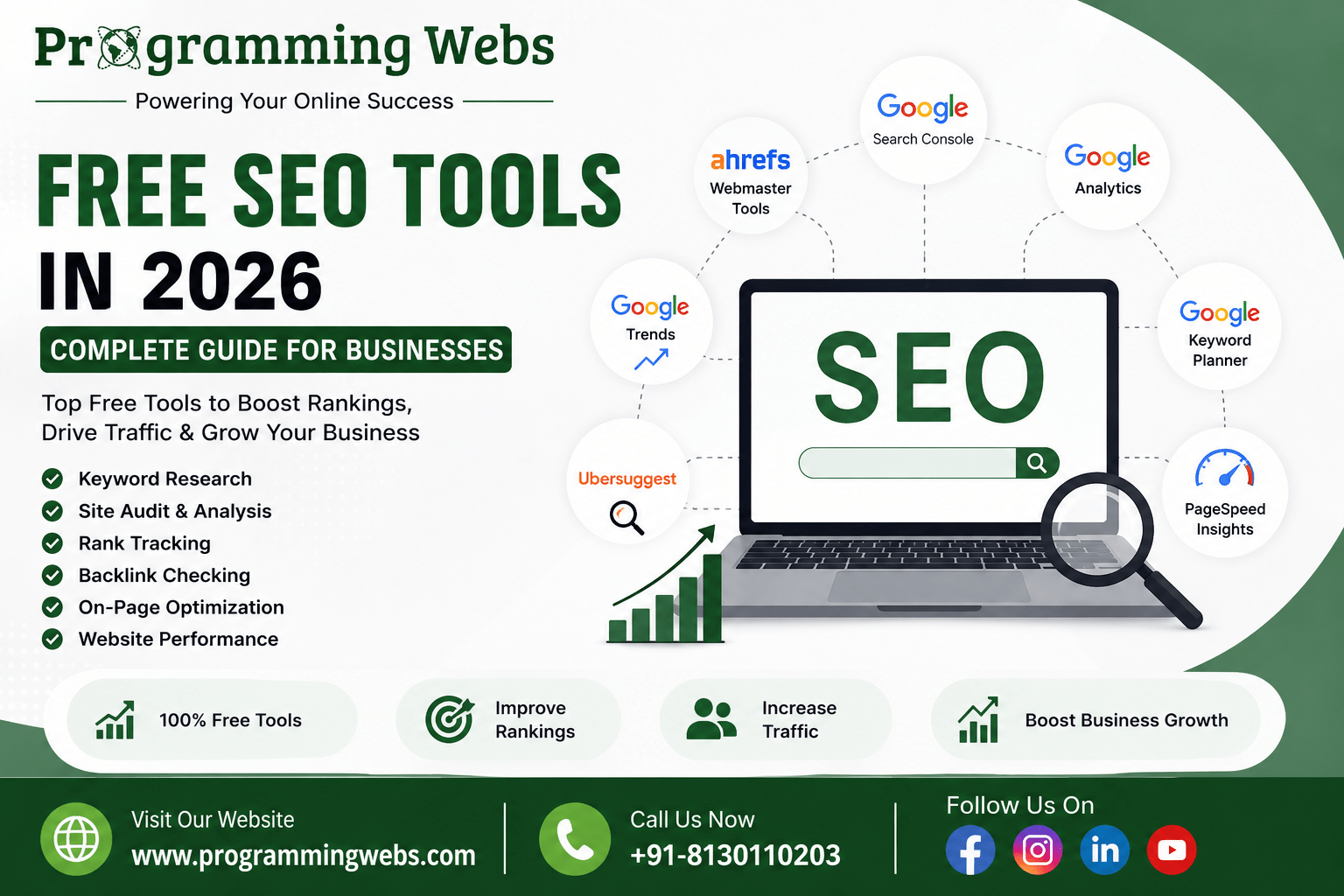
The best free SEO tools in 2026 are: Google Search Console (rankings, indexing, Core Web Vitals — the single most important free tool), Google Analytics 4 (traffic, behaviour, conversion tracking), Google Keyword Planner (keyword research and search volume), PageSpeed Insights (Core Web Vitals diagnosis), Google Business Profile (local search visibility), Rank Math free (WordPress SEO — schema, redirects, sitemaps), Screaming Frog free version (technical crawl up to 500 URLs), and Ahrefs Webmaster Tools free (site audit and backlink overview). Use Google’s stack as your foundation and add category-specific tools for technical and on-page work.
Complete Free SEO Tools Reference: 15 Tools Tested and Categorised (2026)
| Tool | Cost | Category | Best For | India Relevance |
| Google Search Console | Free | Monitoring | Rankings, indexing, Core Web Vitals | Essential — GSC |
| Google Analytics 4 | Free | Analytics | Traffic, conversions, behaviour | Essential — GA4 |
| Google Keyword Planner | Free | Keyword research | Volume, competition, ideas | Excellent for IN market |
| Google PageSpeed Insights | Free | Speed/CWV | LCP, INP, CLS diagnosis | Critical for mobile-first IN |
| Google Trends | Free | Demand research | Seasonality, rising topics | India-specific filters |
| Google Business Profile | Free | Local SEO | Maps, reviews, local pack | High impact in IN cities |
| Rich Results Test | Free | Schema | Structured data validation | AIO/GEO prerequisite |
| Ahrefs Webmaster Tools | Free | Technical/backlink | Site audit, backlink overview | Good free entry tier |
| Bing Webmaster Tools | Free | Search monitoring | Bing crawl, keyword data | Secondary but worthwhile |
| Screaming Frog (free) | Free/Paid | Technical crawl | 500-URL crawl, errors, schema | Best free technical tool |
| Rank Math (free) | Free | On-page SEO | WordPress meta, schema, sitemaps | Best free WP plugin |
| Yoast SEO (free) | Free | On-page SEO | WordPress readability, meta | Strong editorial workflow |
| Ubersuggest (free) | Free/Paid | Keyword research | Beginner keyword + competitor data | Good India volume data |
| Google Tag Manager | Free | Analytics setup | Event tracking without code edits | Essential for GA4 setup |
| Cloudflare (free tier) | Free | Performance/CDN | CDN, DDoS, HTTPS, speed | Major TTFB benefit IN |
The Google Free Tool Stack — Where Every Business Should Start
Google’s tools have an accuracy advantage that no third-party tool can match: they report actual data from Google’s systems rather than estimates from third-party databases. The impression count in Google Search Console is the exact number of times your pages appeared in a Google search result. The organic traffic in GA4 is the exact number of sessions from a Google search click. Start here before considering any paid subscription.
Google Search Console — The Most Actionable Free SEO Tool Available
Google Search Console shows you which keywords your pages rank for, how many times they appear in search results, how often they are clicked, what the average position is, and which technical errors are preventing pages from being indexed. It is the single most actionable free SEO tool available because every data point maps to a specific improvement you can make.
The three reports that matter most for most businesses: (1) Performance → Queries — identifies keywords ranking in positions 5–20 with high impressions but low CTR, which are your fastest-win optimisation opportunities. A title tag and meta description improvement on a page in position 8 with 2,000 monthly impressions can produce more organic traffic than writing three new blog posts. (2) Coverage — shows which pages are indexed, which are excluded, and why. A mistaken ‘noindex’ tag applied by a plugin update is the most common critical error we find, and it is invisible without this report. (3) Core Web Vitals — categorises all your pages as Good, Needs Improvement, or Poor for mobile and desktop. Pages in the Poor category are demonstrably ranked lower than equivalent pages with Good scores. We configure Search Console as the first step in every SEO service engagement.
Google Analytics 4 — Turning Traffic Into Business Intelligence
GA4 answers the question Search Console does not: what do visitors do once they arrive? The two most valuable reports for SEO-driven businesses are the Acquisition report (which shows how much traffic arrives from organic search and whether it is growing) and the Engagement report (which shows how long visitors stay, which pages they engage with, and whether they complete conversion actions).
The critical first step in GA4 is conversion event configuration. GA4 does not automatically track phone clicks, form submissions, or appointment bookings — you must configure these events through Google Tag Manager. Without conversion tracking, you cannot connect your SEO investment to business revenue. This is the most common GA4 configuration failure we see in new client audits — and fixing it typically produces an immediate improvement in how the business evaluates its conversion rate optimisation opportunities.
From our project data: In 71% of new client GA4 audits, we find either no conversion events configured or conversion events configured incorrectly — tracking page views as conversions rather than actual enquiry or purchase events. This means the business has been optimising for the wrong outcomes. Fixing GA4 conversion tracking is one of the fastest ways to make SEO data more useful.
Google Keyword Planner — Free Keyword Research Directly From Google’s Index
Built for Google Ads planning but invaluable for organic keyword research. Keyword Planner provides search volume ranges, competition levels, and related keyword suggestions sourced from Google’s actual search index — making it more accurate for the Indian market than most third-party tools that are primarily calibrated on US data. For businesses planning WordPress content strategies or e-commerce category pages, Keyword Planner is the most reliable free volume data source available.
Google PageSpeed Insights — Your Core Web Vitals Diagnostic Tool
PageSpeed Insights runs Google’s Lighthouse against any URL and reports LCP, INP, and CLS scores for both mobile and desktop, along with specific ranked recommendations for improvement. The mobile report is the critical one — Google uses mobile-first indexing, so your mobile Core Web Vitals score determines your ranking. A page that scores 92 on desktop and 41 on mobile is ranked by the 41. We include a PageSpeed Insights mobile audit in every website maintenance engagement and find that the primary LCP bottleneck for Indian businesses is almost always server TTFB — which means hosting choice is often the fastest variable to improve before any code changes.
Google Trends — Free Demand Research and Content Timing
Google Trends shows relative search popularity indexed from 0 to 100 over any time period and by geography. For Indian businesses, the India-specific filter reveals seasonality patterns that global tools miss: ‘GST filing’ peaks in March–September, ‘AC repair service’ peaks April–June, ‘MBA admissions’ peaks November–February. Publishing content before the seasonal peak — not during it — captures traffic as demand rises rather than landing on a competitor’s already-established page.
Google Business Profile — The Free Local SEO Tool With the Highest Revenue Impact
For any business with physical premises or a defined service area, a complete, regularly updated Google Business Profile is the highest-ROI single action in all of digital marketing. In 2026, GBP data also feeds Google’s AI Overviews for local queries — businesses with complete profiles are cited in AI-generated local answers; businesses with sparse profiles are omitted. We cover GBP optimisation in depth in our local SEO tools guide and local SEO services.
Rich Results Test — Schema Validation for AI Search Eligibility
Rich Results Test validates whether your schema markup is correctly implemented and which rich result types your page qualifies for. In 2026, correct schema is also a prerequisite for AI Overview inclusion — pages with correctly implemented FAQ, Product, and Article schema are more likely to be extracted and attributed by Google’s AI search generation. This makes the Rich Results Test an AIO/GEO preparation tool as much as a rich result eligibility checker.
The Best Non-Google Free SEO Tools in 2026
Ahrefs Webmaster Tools — The Best Free Backlink and Technical Overview
Ahrefs Webmaster Tools (AWT) provides a free site audit that checks 100+ SEO issues — broken links, missing alt text, slow pages, duplicate content, missing schema — and a backlink overview showing your domain’s referring domains and top-linked pages. Unlike Ahrefs’ paid plans, AWT only shows data for websites you verify ownership of — but for your own site, the data is equivalent to the paid plan. We recommend AWT alongside Search Console for any business that wants a structured view of its technical SEO health without a subscription.
Screaming Frog SEO Spider (Free Version) — The Best Free Technical Crawl Tool
Screaming Frog crawls your website the way Google does — following links, reading meta tags, checking canonical URLs, identifying redirect chains, and flagging missing metadata. The free version crawls up to 500 URLs, which is sufficient for most small business websites and many e-commerce stores. For WordPress websites specifically, Screaming Frog identifies the most common technical errors: duplicate title tags from WooCommerce product variations, missing H1 tags on automatically generated archive pages, and redirect chains from permalink changes. We use the paid version for larger sites, but the free version covers the majority of technical audit needs for businesses under 500 pages.
Rank Math Free — The Best Free WordPress SEO Plugin in 2026
Rank Math’s free tier provides more functionality than most paid SEO plugins: 40+ schema types, a 404 monitor, a redirect manager, multi-keyword analysis, Google Search Console integration, and a local SEO module — all without a subscription. For any business running WordPress, Rank Math free is the highest-value single tool installation available at zero cost. We compared Rank Math and Yoast in depth in our Rank Math vs Yoast 2026 guide — Rank Math wins on free-tier feature breadth.
Bing Webmaster Tools — Overlooked but Genuinely Useful
Bing Webmaster Tools provides keyword performance data, crawl reports, SEO recommendations, and a site scan covering common technical errors. In India, Bing’s market share is modest but not negligible — particularly on Windows desktops where Bing is the browser default. For businesses in professional services, enterprise software, and education sectors where Windows desktop users are a significant portion of the audience, Bing traffic is worth monitoring. Bing Webmaster Tools also provides keyword data that sometimes surfaces queries not visible in Google Search Console, providing an additional keyword research data point.
Ubersuggest (Free Features) — Beginner Keyword Research With Competitor Context
Ubersuggest’s free tier provides a limited number of daily keyword searches plus a domain overview showing a competitor’s top organic pages, estimated traffic, and keyword rankings. For a new business trying to understand which keywords a competitor ranks for without a paid Semrush or Ahrefs subscription, Ubersuggest’s free competitor snapshot is a useful starting point. The volume data for Indian keywords is generally reliable, though daily search limits make it a supplementary tool rather than a primary research platform.
Cloudflare Free Tier — The Performance and Security Tool Most Businesses Overlook
Cloudflare’s free tier is not traditionally listed in SEO tool guides, but it belongs here for one specific reason: it reduces TTFB for Indian visitors to websites hosted outside India by 150–300ms by routing requests through Cloudflare’s Indian edge nodes. TTFB is the primary driver of LCP scores — and LCP is a confirmed Core Web Vitals ranking signal. Adding Cloudflare free tier to a shared hosting account frequently improves PageSpeed Insights mobile scores by 8–15 points before any code changes. It also adds HTTPS, DDoS protection, and image compression for free. We configure Cloudflare as a standard component of our website maintenance and optimisation service for clients on shared hosting.
Google Tag Manager — Free Event Tracking Without Code Changes
Google Tag Manager allows you to deploy tracking scripts and configure GA4 conversion events without editing your website’s code for every change. For a landing page design project where conversion tracking needs to be set up quickly across multiple pages, GTM allows the configuration to happen in the GTM dashboard rather than requiring developer involvement for each update. Once GTM is installed, the marketing team can independently add tracking events, deploy A/B testing scripts, and manage third-party tags — permanently reducing developer dependency for analytics work.
Which Free Tool Solves Which Business Problem: A Diagnostic Reference
| Business Problem | Best Free Tool(s) | What It Reveals |
| Pages not ranking | Google Search Console | Indexing errors, manual actions, thin content signals |
| Traffic dropped suddenly | GSC + GA4 | Algorithmic changes, deindexed pages, penalty |
| Website loads slowly | PageSpeed Insights + Cloudflare | LCP, INP, CLS scores + specific code fixes |
| Don’t know what to write about | Google Keyword Planner + Google Trends | Search volume, competition, seasonal demand |
| Competitor outranking me | Ahrefs Webmaster Tools + Ubersuggest | Their backlinks, top pages, keyword gaps |
| Technical errors on site | Screaming Frog (free) + GSC | Broken links, redirect chains, missing tags |
| Not showing in local search | Google Business Profile + GSC | Profile completeness, local keyword impressions |
| Schema not generating rich results | Rich Results Test | Schema errors, missing required fields |
| No conversion tracking | Google Tag Manager + GA4 | Event configuration, conversion attribution |
| WordPress SEO basics missing | Rank Math (free) + GSC | Meta tags, sitemaps, schema, redirect management |
When Free Tools Are Enough — And When to Invest in Paid Tools
Free Tools Cover These Scenarios Completely
- New websites in the first 12 months — free tools provide all the monitoring, keyword research, and technical audit capability needed before you have enough data for advanced competitor analysis
- Local service businesses — Google Business Profile, Search Console, and GA4 cover the majority of local SEO monitoring without a paid tool
- WordPress websites — Rank Math free handles on-page SEO, schema, redirects, and sitemap management without any subscription
- Technical SEO audits for sites under 500 pages — Screaming Frog free and Ahrefs Webmaster Tools cover the core technical diagnostic needs
Paid Tools Become Valuable When
Competitor analysis is a primary growth strategy — understanding which keywords competitors rank for, which pages attract backlinks, and how their content structure compares requires a paid tool like Semrush or Ahrefs. Our SEO service uses both paid and free tools depending on what the analysis requires.
- You are tracking rankings for more than 50 keywords simultaneously — Search Console shows ranking data but not daily position tracking per keyword at scale
Backlink building is a core strategy — Ahrefs Webmaster Tools shows your own backlinks for free, but identifying competitor backlinks for outreach targeting requires a paid plan. Our backlink tools guide covers this decision in detail.
- You are managing SEO for multiple client websites — paid tools’ multi-project management, white-label reporting, and team collaboration features produce efficiency gains that free tools cannot replicate
The practical threshold: if your business generates more than ₹5–10 lakh per month in revenue and organic search is a primary acquisition channel, a paid SEO tool at ₹3,000–₹8,000/month typically pays for itself in one or two additional leads. Below that threshold, the free tool stack covers your needs and the budget is better invested in content and link-building work.
Real Business Outcomes Using Free SEO Tools
Case Study 1: Education Platform — Search Console Recovers Lost Rankings
An online test preparation platform had seen a 28% decline in organic traffic over 90 days. They assumed the cause was a Google algorithm update and were planning a full content rebuild — an expensive and time-consuming project.
We opened Google Search Console and identified the actual cause in 15 minutes: their sitemap contained URLs from a deleted blog section that were returning 404 errors, causing Googlebot to waste crawl budget on dead URLs. Additionally, 19 high-traffic articles had been moved to a new URL structure without 301 redirects. We configured redirects through Rank Math, corrected the sitemap, and requested recrawl. Traffic recovered to pre-decline levels within 40 days. Total tool cost: ₹0.
Case Study 2: D2C Home Goods Store — PageSpeed + Cloudflare Improves Ad ROI
A WooCommerce home furnishings brand was spending ₹40,000/month on Google Ads with a 67% landing page bounce rate. PageSpeed Insights mobile showed an LCP of 4.6 seconds. The primary issue: unoptimised product images and a server TTFB of 850ms on their US-based shared hosting. We added Cloudflare free tier (reducing TTFB to 380ms for Indian visitors), converted images to WebP, and enabled browser caching. Mobile LCP improved from 4.6s to 2.1s. Google Ads Quality Score improved by an average of 1.9 points across campaigns, reducing CPC by approximately 22% and generating ₹18,000 in monthly ad spend savings — entirely from free tools.
Case Study 3: Local Restaurant Chain — GBP + GA4 Drives More Bookings
A four-location restaurant group in Mumbai had a GBP profile for each location but no conversion tracking in GA4. We configured phone click and reservation form events through Google Tag Manager, enabling them to see — for the first time — which of their four locations was generating the most online reservations relative to its traffic. The data revealed that Location 3’s reservation page had a 12% completion rate versus 34–41% for the others. An investigation found the reservation form was not loading on mobile for iOS users — a JavaScript conflict introduced by a theme update. Fixing the form increased Location 3’s online reservations by 180% within three weeks. Tool cost: ₹0. Business impact: measurable.
Case Study 4: SaaS Startup — Keyword Planner + Trends Build a Content Strategy
A B2B SaaS startup with a project management product needed a content strategy for a WordPress website launch. Budget constraints made paid SEO tool subscriptions impractical in the pre-revenue phase. We used Keyword Planner to map 80 target keywords by volume and competition, Google Trends to sequence publication timing around rising search interest, and Rank Math free to configure technical SEO. At month 6, the site ranked page 1 for 14 target keywords and generated 38% of the startup’s demo requests from organic search. Total SEO tool spend in the first six months: ₹0.
Practical Tips for Getting Maximum Value From Free SEO Tools
Connect Search Console and GA4 — This Unlocks Attribution Data You Cannot Get Separately
Linking Search Console to GA4 (in GA4 Settings → Data Streams → Linked Products) creates a combined dataset that shows which organic search queries are driving conversions — not just sessions. This end-to-end attribution from keyword to business outcome is the most commercially useful view of your SEO performance and is available entirely for free.
Use Screaming Frog After Every Major Site Change
After a WordPress update, a URL restructure, a new category of pages published, or a theme change, run a Screaming Frog crawl within 24 hours. Plugin conflicts from updates, unintentional noindex tags added by themes, and redirect chains created by URL changes are all caught immediately by a crawl and would otherwise be invisible until Search Console reports declining impressions weeks later.
Set Up a Monthly Audit Routine Using the Free Stack
- Week 1: Search Console Performance review — identify declining pages and CTR opportunities
- Week 2: GA4 conversion tracking review — confirm all conversion events are firing correctly
- Week 3: PageSpeed Insights mobile audit — test your five highest-traffic pages and act on any new recommendations
- Week 4: Google Business Profile update — add new photos, respond to any unanswered reviews, update seasonal hours
This routine takes approximately two hours per month and identifies the majority of issues that affect rankings before they become significant problems.
Use Google Trends for Content Gap Identification, Not Just Topic Validation
Most people use Google Trends to check whether a topic is popular. The more valuable use is identifying topics that are rising in demand but not yet highly competitive — your competitors have not written the definitive guide yet, but the audience is growing. Publishing an authoritative piece on a rising topic 60–90 days before it peaks produces significantly better rankings than publishing at peak demand when every competitor is doing the same.
The Mistakes That Prevent Free SEO Tools From Producing Results
The most common reason free SEO tools ‘don’t work’ is not that the tools are insufficient — it is that businesses check the data without acting on it. Search Console shows a coverage error: ignored. PageSpeed Insights shows an LCP of 4.8 seconds: ignored. GA4 shows no conversion events configured: ignored. The tools are not the bottleneck; acting on what they reveal is.
Using Free Tools in Isolation Instead of as a Connected System
The free tool stack is most powerful when the outputs connect: Search Console identifies a declining page, GA4 shows it has low engagement time suggesting a content relevance problem, Keyword Planner shows the original target keyword has low search volume and suggests a higher-volume alternative, and Rank Math implements the meta update and internal linking changes. Each tool in isolation produces one data point; connected, they produce a complete diagnosis and action plan.
Treating the Keyword Planner Competition Column as an Organic Ranking Difficulty Signal
Keyword Planner’s ‘Competition’ column — Low, Medium, High — reflects Google Ads advertiser competition, not organic search ranking difficulty. A keyword with ‘High’ competition in Keyword Planner may have very few organic results pages competing for it. Cross-reference Keyword Planner volume data with the actual SERP: if page 1 is occupied by thin, outdated content from low-authority sites, a ‘High competition’ keyword in Keyword Planner may still be an organic opportunity.
How Free SEO Tools Have Improved in 2026
Three developments make the free SEO tool stack more capable in 2026 than in previous years. First, Google Search Console now includes an ‘AI Overviews’ filter in the Search Appearance dimension — allowing businesses to see which pages are generating impressions from AI Overview citations. This is a new, direct, free way to measure GEO performance that did not exist before 2025. Second, Rank Math’s free tier added AI-assisted meta description generation in its 2025 update — producing title tag and description suggestions from page content without any subscription. Third, Cloudflare’s free tier expanded its image optimisation features, making it a meaningfully better performance tool for WordPress and Shopify sites than it was 18 months ago.
Related Guides and Services from ProgrammingWebs
These resources are directly relevant to free SEO tool usage and broader digital strategy:
Our full SEO tools series: Google SEO tools 2026 — deep dive on Google’s free tool stack
Local SEO: Local SEO tools 2026 — best tools for local search visibility
Backlinks: Backlink tools 2026 — when to add paid backlink analysis
WordPress SEO: Best WordPress SEO plugins 2026 — Rank Math vs Yoast free tier comparison
Plugin comparison: Rank Math vs Yoast 2026 — which free plugin is stronger
Hosting: Cloud hosting vs shared hosting 2026 | Hosting performance guide — hosting directly affects your PageSpeed Insights scores
Hosting providers: Hostinger vs Bluehost 2026 — which host produces better free tool scores
Platform guides: Shopify vs WordPress 2026 | AI Website Builder vs WordPress 2026 | Elementor vs Divi 2026
E-commerce: WooCommerce vs Shopify 2026 | Magento vs Shopify 2026 | Magento vs Shopify data comparison
Our services: SEO services | WordPress SEO | E-commerce SEO | Local SEO | Shopify SEO
Development: Website development | WordPress development | Shopify development | Landing page design
Paid growth: Google Ads management | Meta Ads management | Social media marketing
Optimisation: Conversion rate optimisation | Website maintenance
Company: About ProgrammingWebs | Portfolio | Pricing | Contact
Frequently Asked Questions
What are the best free SEO tools in 2026?
The most impactful free SEO tools are Google Search Console (rankings, indexing, Core Web Vitals), Google Analytics 4 (traffic, conversions, behaviour), Google Keyword Planner (keyword research), PageSpeed Insights (speed and CWV diagnosis), and Rank Math free (WordPress on-page SEO, schema, redirects). For technical audits, Screaming Frog free (up to 500 URLs) and Ahrefs Webmaster Tools (site audit and backlinks for your own site) complete the stack without any subscription.
Are free SEO tools enough for a small business?
For most small businesses in the first 12–18 months of their SEO programme, yes. Google’s free tool suite — Search Console, Analytics 4, Keyword Planner, PageSpeed Insights, Google Business Profile — covers monitoring, keyword research, technical diagnosis, and local search visibility. Rank Math free handles WordPress on-page SEO. Screaming Frog free handles technical crawls. The scenarios where paid tools become necessary are primarily competitor analysis at scale and bulk rank tracking across large keyword sets.
Which free tool is best for keyword research?
Google Keyword Planner is the most accurate free keyword research tool for the Indian market because its data comes directly from Google’s search index. Its limitation is that volume data shows ranges (1,000–10,000) rather than exact numbers unless you run an active Google Ads campaign. Google Trends complements Keyword Planner by showing demand direction and seasonality. Together, they provide enough data for content planning without a paid subscription.
How often should I use free SEO tools?
Google Search Console and GA4 should be reviewed weekly — daily variation is too noisy to act on, and monthly review misses time-sensitive issues. PageSpeed Insights should be run after any significant site change (theme update, new plugin, content restructure). Screaming Frog crawls should run monthly or after major site changes. Google Business Profile needs weekly attention — regular photo uploads and prompt review responses are both algorithm signals.
Can free SEO tools improve my website rankings?
The tools themselves do not improve rankings — they identify the specific problems and opportunities that, when acted upon, improve rankings. Search Console shows which pages have coverage errors to fix. PageSpeed Insights shows which code changes would improve Core Web Vitals. GA4 shows which pages have poor engagement suggesting content relevance problems. Each tool’s output maps to a specific action. Acting on those actions consistently is what improves rankings.
Is Screaming Frog free version worth using?
Yes — for websites under 500 pages, the free version provides the same crawl data as the paid version. It identifies broken links, redirect chains, missing meta tags, duplicate title tags, missing H1 tags, and pages without schema markup. For most local service businesses, SMBs, and early-stage e-commerce stores, 500 URLs is sufficient for a complete technical audit. The paid version (£259/year as of 2026) is necessary for larger sites and for features like JavaScript rendering and Google Analytics integration.
Do I still need an SEO agency if I use free tools?
Tools provide data; an agency provides interpretation, strategy, and execution. Google Search Console shows that 23 pages have coverage errors — an experienced SEO specialist determines which errors matter most, what caused them, and how to fix them in the correct sequence. The free tools are most valuable when used by people who know what the data means and what to do about it. For businesses where organic search is a primary revenue channel, professional guidance applied to free tool data typically produces faster, more reliable results than self-managed free tool usage.
About This Guide
This guide was written by the SEO strategy team at ProgrammingWebs based on direct tool usage and client project experience across 180+ websites between 2023 and 2026. All 15 tools covered in this guide are actively used in our client work. Tool feature descriptions reflect capabilities as of June 2026. Case study performance data is drawn from Google Search Console, Google Analytics 4, and Google Business Profile Insights reports from those client projects. ProgrammingWebs does not receive payments from any tool developer referenced in this guide.
Ready to turn free SEO data into real business growth?
ProgrammingWebs configures, audits, and acts on the free SEO tool stack for SMBs, e-commerce brands, and startups — combining technical SEO, content strategy, and paid growth to generate measurable organic revenue.
View SEO services → programmingwebs.com/services/seo-services/
Start a project → programmingwebs.com/contact/
© 2026 ProgrammingWebs. All rights reserved. | programmingwebs.com