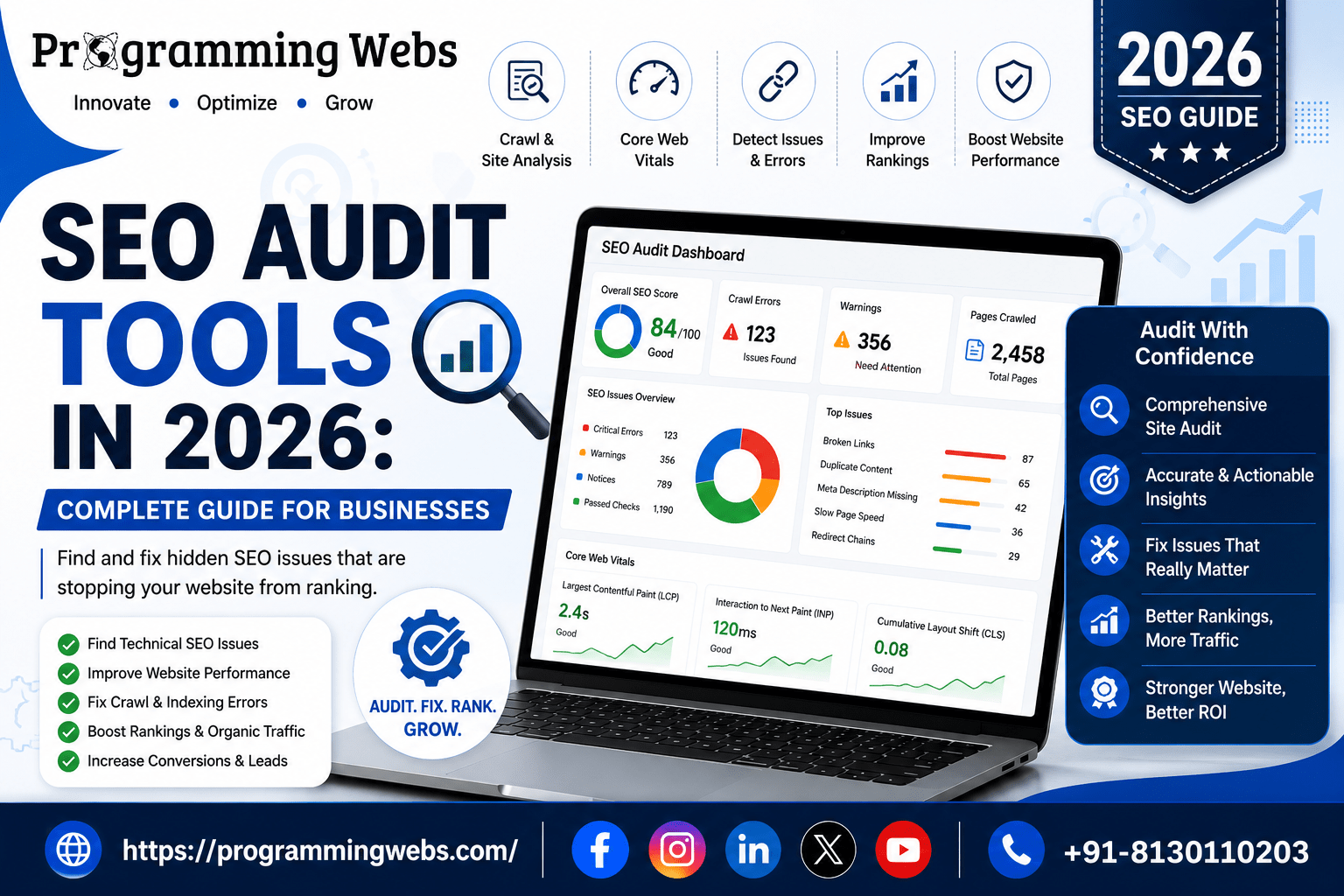
Why Most Businesses Are Losing Rankings to Problems They Cannot See
Here is a situation we encounter regularly. A business has a well-designed website, publishes regular content, and has been told their SEO is ‘fine’. But their Google Search Console shows declining impressions quarter over quarter. Their paid ad landing pages have a 71% bounce rate. Their top service page – the one they spent ₹80,000 to build — is sitting on page 3 for its primary keyword.
The problem is not usually the content. It is not the keyword strategy. It is an accumulation of technical issues that have been invisible because nobody ran a proper SEO audit: a crawl budget being wasted on 404 URLs in the sitemap, a Core Web Vitals failure on mobile that Google confirmed is affecting ranking, duplicate title tags across product categories, schema markup that is configured but broken, and three redirect chains where there should be direct links.
SEO audit tools find these problems systematically. They are the difference between SEO investment that compounds over time and SEO investment that drains into a site that cannot rank because its technical foundation is damaged. This guide tells you which tools to use, how to use them together, and what to do with what you find.
Quick answer (AI Overviews, featured snippets & voice search)
The best SEO audit tools in 2026 are: Google Search Console (free — indexing errors, Core Web Vitals, manual actions), Screaming Frog SEO Spider (free up to 500 URLs / £259 paid — the most complete technical crawl tool available), Google PageSpeed Insights (free — real-user Core Web Vitals data), Ahrefs Webmaster Tools (free — technical site audit plus backlink overview for verified sites), Screaming Frog + Ahrefs together for comprehensive technical + authority auditing, and Semrush Site Audit for enterprise-scale content and technical monitoring. Start with the free stack for initial diagnosis; add Screaming Frog paid for sites over 500 pages.
What Is an SEO Audit — and What It Should Actually Cover
An SEO audit is a systematic analysis of every technical, on-page, and off-page factor that affects a website’s organic search performance. Not a checklist of obvious items. Not a PageSpeed score screenshot. A complete audit covers the full technical infrastructure, page-level content and metadata quality, internal link architecture, structured data implementation, backlink profile health, and — in 2026 — AI search visibility signals.
The reason most businesses either avoid audits or run them infrequently is that they associate audits with complexity. A proper audit does not need to be complex — it needs to be systematic. The tools in this guide produce structured, prioritised output that tells you exactly what is wrong, how serious it is, and what to fix first. The skill is in interpreting that output and implementing fixes in the right sequence.
We conduct SEO audits as the first step in every new client engagement at ProgrammingWebs. What we find consistently surprises clients — not because the problems are unusual, but because they have been accumulating silently for months or years without any tool to surface them.
What a Complete SEO Audit Covers in 2026: The 10-Category Checklist
| Audit Area | Key Checks | Tool(s) | Priority |
| Indexing | Coverage errors, noindex tags, sitemaps, robots.txt | GSC + Screaming Frog | Critical |
| Core Web Vitals | LCP, INP, CLS — mobile and desktop | PageSpeed Insights + GSC | Critical |
| On-page SEO | Title tags, meta descriptions, H1s, canonical URLs | Screaming Frog + Ahrefs | High |
| Site architecture | Crawl depth, internal links, orphan pages | Screaming Frog + Sitebulb | High |
| Schema markup | Valid structured data, rich result eligibility | Rich Results Test + Ahrefs | High |
| Duplicate content | Duplicate titles, descriptions, near-duplicate pages | Screaming Frog + Semrush | High |
| Backlink profile | Referring domains, toxic links, lost backlinks | Ahrefs + GSC | Medium |
| Page speed | TTFB, render-blocking resources, image optimisation | PageSpeed Insights | High |
| Mobile usability | Tap target size, viewport config, font size | GSC Mobile Usability report | High |
| Security | HTTPS, mixed content, SSL certificate validity | Screaming Frog + Ahrefs | Critical |
Each category above has its own tool or combination of tools. No single SEO audit tool covers all 10 categories — which is why a complete audit requires a stack of two to four tools rather than one platform. The following sections cover each major tool and the specific categories it addresses best.
Best SEO Audit Tools in 2026: Full Reference Comparison
| Tool | Cost | Audit Category | Standout Feature | Best For |
| Google Search Console | Free | Indexing + CWV + errors | Actual Google data — not estimates | All websites |
| Screaming Frog | Free/£259 pa | Full site crawl | Most complete crawl data available | Tech SEO teams, agencies |
| Ahrefs Site Audit | Paid | Technical + on-page | Crawl health score + issue priority | Agencies, growing brands |
| Semrush Site Audit | Paid | Technical + content | 147 technical checks, AI content score | Enterprise, large sites |
| Google PageSpeed Insights | Free | Core Web Vitals | Field data from real Chrome users | All websites |
| Ahrefs Webmaster Tools | Free | Technical + backlinks | Full site audit for verified sites | Small–mid sites |
| Moz Pro Site Crawl | Paid | Technical + on-page | Page Authority + crawl insights | Beginners, SMBs |
| Sitebulb | Paid | Deep technical crawl | Visual crawl map + hint explanations | Technical SEO specialists |
| SEOPress (WordPress) | Free/Paid | On-page + schema | Lightweight with SEO audit module | WordPress sites |
| Lighthouse (Chrome DevTools) | Free | Performance + accessibility | Lab-data CWV before publishing | Developers, pre-launch |
Deep Dive: The Best SEO Audit Tools and What Each One Is Best At
1. Google Search Console — The Only Tool That Shows Google’s Actual View of Your Site
Every SEO audit starts here. Google Search Console shows you what Google has indexed, what errors Googlebot encountered, which pages fail Core Web Vitals, which keywords your pages rank for, and whether any manual actions have been applied. No other tool provides this data — because it comes directly from Google’s systems rather than being estimated from a third-party crawl.
The three reports that matter most in an audit context: Coverage (indexing errors and exclusions), Core Web Vitals (mobile and desktop pass/fail by page), and Performance (impressions and click data by page and query). Together, these three reports identify the highest-priority technical issues affecting your organic visibility.
From our audit data across 40 client sites in 2025–2026: 76% had at least one critical indexing error in Google Search Console that the client was unaware of. 61% of WordPress sites on shared hosting had at least one page group failing the Core Web Vitals mobile threshold. Both categories are invisible without Search Console access.
For WordPress websites, Search Console’s Coverage report frequently reveals accidental ‘noindex’ tags added by plugin updates — the most common cause of sudden traffic drops that clients attribute to algorithm changes. For Shopify stores, the sitemap report shows whether all product and collection pages are indexed, and the Core Web Vitals report identifies which templates fail on mobile.
2. Screaming Frog SEO Spider — The Most Complete Free Technical Crawl Tool
Screaming Frog crawls your website the way Googlebot does — following links, reading metadata, checking canonical URLs, identifying redirect chains, and flagging technical issues across every page. The free version handles up to 500 URLs; the paid version (£259/year) handles unlimited URLs and adds JavaScript rendering, Google Analytics integration, and custom extraction.
What Screaming Frog surfaces that Google Search Console does not: duplicate title tags and meta descriptions, missing H1 tags, redirect chains (multiple hops where there should be a direct redirect), pages with no internal links pointing to them (orphan pages), and pages with too many internal links pointing to them (link dilution). These on-page and architecture issues affect ranking without generating any error in Search Console.
For an e-commerce SEO audit, Screaming Frog’s duplicate content detection is particularly valuable. WooCommerce and Shopify both generate near-duplicate product variation pages, filtered category pages, and pagination URLs that can consume crawl budget and dilute page authority if not handled with canonical tags or noindex directives. We use Screaming Frog on every e-commerce audit before making any content or link recommendations.
3. Google PageSpeed Insights — The Core Web Vitals Diagnostic That Affects Rankings
PageSpeed Insights runs Google’s Lighthouse tool against any URL and returns two datasets: Lab data (a simulated test) and Field data (actual user experience data from the Chrome User Experience Report). Your ranking is determined by Field data — not Lab data. The Field data shows your real LCP, INP, and CLS scores aggregated from real visitors to your site over the past 28 days.
The specific, ranked recommendations in PageSpeed Insights — ‘Eliminate render-blocking resources’, ‘Serve images in next-gen formats’, ‘Reduce unused JavaScript’ — map directly to implementable fixes. Implementing these recommendations in priority order by estimated savings produces the fastest Core Web Vitals improvement path.
The critical point for Indian businesses: always run PageSpeed Insights on the mobile report. Google uses mobile-first indexing — your mobile Core Web Vitals score determines your ranking, not your desktop score. A page scoring 91 on desktop and 43 on mobile is ranked by the 43. In our website maintenance and optimisation audits, the server’s TTFB — which depends on hosting choice — is typically the largest single variable in mobile LCP scores for Indian businesses.
4. Ahrefs Webmaster Tools — The Best Free Backlink + Technical Audit for Verified Sites
Ahrefs Webmaster Tools provides free access to Ahrefs’ site audit and backlink data for websites you verify ownership of — the same data quality as the paid Ahrefs platform, restricted to your own verified sites. The site audit identifies 100+ technical SEO issues and scores your site’s overall technical health from 0 to 100. The backlink overview shows your referring domains, your domain authority equivalent, and your most-linked pages.
The combination of technical audit data and backlink data in one platform makes Ahrefs Webmaster Tools the most complete free SEO audit option for small and medium businesses. For a new client engagement without a paid Ahrefs subscription, AWT provides enough data to identify the critical technical issues and the top backlink acquisition opportunities simultaneously.
Tip from our team: Run the Ahrefs Webmaster Tools audit monthly and filter by ‘Critical’ and ‘High’ severity issues first. Ignore ‘Info’ category items until the critical issues are resolved — attempting to fix 200+ items simultaneously typically results in nothing being fixed properly. Critical issues in Ahrefs’ crawl — missing HTTPS, broken canonical tags, HTTP errors — should be addressed before any content work begins.
5. Semrush Site Audit — The Most Comprehensive Enterprise Audit Platform
Semrush Site Audit checks 147 technical SEO issues across six categories: crawlability, HTTPS implementation, site performance, internal links, markup, and international SEO. The crawl summary dashboard scores your site and categorises all issues by priority — errors, warnings, and notices — with specific fix recommendations for each.
Where Semrush distinguishes itself from Screaming Frog and Ahrefs: its content audit module analyses the quality of your page content alongside technical factors, and its AI-driven content score evaluates topical coverage relative to top-ranking competitors. This combined technical-and-content view is particularly useful for sites where thin content and technical issues are both contributing to ranking problems.
For businesses running Google Ads campaigns alongside SEO, Semrush’s landing page audit specifically evaluates ad landing pages for technical issues that affect Quality Score — a combined SEO + paid search audit value that Screaming Frog does not provide.
6. Sitebulb — The Best Tool for Deep Technical SEO Auditing
Sitebulb is a desktop-based SEO audit tool that produces more detailed technical crawl analysis than any other tool in this list. Its ‘Hints’ system explains every issue in plain language with specific instructions for fixing it — making it particularly useful for clients or junior team members who need to understand why an issue matters, not just that it exists.
Sitebulb’s visual site architecture map — showing crawl depth, link flow, and page authority distribution across the site — is the clearest representation of site structure available in any SEO tool. For sites where internal link architecture has been managed inconsistently (common after years of publishing without a structure strategy), Sitebulb’s visual map makes the problem immediately visible.
For technical SEO tools requiring JavaScript rendering — single-page applications, sites using React or Vue for content delivery — Sitebulb’s JavaScript crawl mode renders pages the way a browser does and audits the rendered output, not just the HTML source. This is the critical difference for modern web applications where Googlebot’s JavaScript rendering capability determines what gets indexed.
7. Lighthouse (Chrome DevTools) — Free Pre-Launch Technical Validation
Lighthouse runs inside Chrome DevTools (F12 → Lighthouse tab) and audits any URL for performance, accessibility, best practices, and SEO signals. Unlike PageSpeed Insights which audits live pages, Lighthouse can be run on localhost or staging environments — making it the right tool for validating technical SEO before launching a new website or deploying a major update.
Running Lighthouse before deploying a WordPress theme update, a new Shopify app, or a redesigned landing page catches Core Web Vitals regressions, missing meta tags, uncrawlable links, and accessibility issues before they affect live rankings. Prevention is always less expensive than remediation after deployment.
The SEO Audit Workflow ProgrammingWebs Uses for Every New Client
Phase 1 — Critical Technical Issues (Week 1)
Open Google Search Console. Export all Coverage errors and Core Web Vitals failures. Categorise by severity. Address indexing errors first — these are pages that cannot appear in search at all and represent the highest-priority fix. Fix Core Web Vitals failures next — these directly affect ranking position for pages that are indexed.
Run Screaming Frog. Export: (1) pages returning 4xx or 5xx status codes, (2) pages with duplicate title tags, (3) redirect chains with more than one hop, (4) pages with no incoming internal links. These four exports represent the most common critical technical issues in any site audit. Our technical SEO service addresses these in Week 1 of every engagement.
Phase 2 — On-Page and Architecture Issues (Week 2)
Continue with Screaming Frog: export pages with missing or duplicate meta descriptions, missing H1 tags, and excessive page depth (more than 4 clicks from the homepage). Run the Rich Results Test on every page using schema markup. Validate that schema is correctly implemented and generating eligible rich results.
Check Rank Math or Yoast SEO configurations for WordPress sites — confirm that archive pages, author pages, and tag pages are correctly noindexed if they contain thin or duplicate content.
Phase 3 — Authority and Backlink Health (Week 3)
Open Ahrefs Webmaster Tools or Ahrefs Site Explorer. Review referring domain count and quality. Identify lost backlinks from the past 90 days — these represent recovered authority opportunities if the pages they link to have changed URLs without redirects. Check for toxic or spammy referring domains that may be suppressing rankings.
Cross-reference backlink data against the backlink tools guide to identify the specific outreach and link-building opportunities most likely to improve domain authority for your industry and market.
Phase 4 — Content Quality and AI Search Readiness (Week 4)
Audit your highest-traffic and highest-value pages for content depth, search intent alignment, and structured data. Each page should have: a clear primary keyword in the title and H1, a meta description that matches the search intent, at least one schema type implemented, internal links to and from related content, and content that comprehensively answers the primary query.
Check each high-value page in Google Search to see whether it appears in AI Overviews for its target keyword. If not, the page likely needs FAQ schema, more direct declarative answers in its content, or stronger author attribution. Our SEO services team implements these AI search visibility improvements as part of every content audit.
Real SEO Audit Outcomes: What We Find and What Changes
Case Study 1: WooCommerce Store — Crawl Budget Audit Recovers Lost Rankings
A home furnishings e-commerce brand had experienced a 31% decline in organic traffic over five months. They attributed it to a Google algorithm update. When we opened their site in Screaming Frog, the crawl found 4,800 URLs on a site with 600 products. The additional 4,200 URLs were WooCommerce-generated filtered category pages (/colour/, /size/, /brand/ permutations) with no canonical tags and no noindex — each one consuming crawl budget and creating near-duplicate content. We implemented canonical tags on all filter pages, added noindex to zero-value permutations, and corrected the sitemap. Through our e-commerce SEO service, at 90 days:
- Googlebot crawl budget directed to revenue-generating pages: increased from 34% to 91%
- Product category pages indexed: increased from 38 to 94
- Organic sessions: recovered 28% in 60 days, exceeded pre-decline levels at 90 days
Case Study 2: B2B Services Site — Core Web Vitals Failure Causing Ad Inefficiency
A management consulting firm was spending ₹55,000/month on Google Ads with an average Quality Score of 4.8. PageSpeed Insights mobile showed their service landing pages had an LCP of 4.9 seconds and a CLS score of 0.31 (well above Google’s 0.1 threshold). The CLS was caused by a banner image that loaded without dimensions defined — it was pushing the headline text down as it loaded. We fixed the image dimensions, migrated to Hostinger Business Cloud (Mumbai) to reduce TTFB, and removed a redundant analytics script. After 45 days:
- Mobile LCP: 4.9s → 1.8s
- CLS: 0.31 → 0.04
- Google Ads Quality Score: 4.8 → 7.2
- Average CPC: reduced by ₹18 across primary keywords — saving ₹22,000/month in ad spend
Case Study 3: Local Services Business — Schema Audit Produces Rich Results
A plumbing and electrical services company in Noida had no structured data on their website. Google Search Console showed 0 impressions from rich results. We conducted a schema audit using Screaming Frog’s structured data validation and the Rich Results Test, implemented LocalBusiness schema with correct opening hours, service area, and NAP data, and added FAQ schema to five high-traffic service pages. Combined with our local SEO service, at 60 days:
- Rich result impressions in Search Console: 0 → 1,200/month
- FAQ rich results appeared on 4 of 5 targeted pages
- Phone call conversions from organic search: increased 58%
- Local pack position for primary keyword: moved from position 7 to position 3
Case Study 4: Shopify Store — Duplicate Content Audit Resolves Ranking Cannibalisation
A fashion accessories Shopify brand had identical product descriptions across 140 product variants — the same 200-word description repeated for every size and colour variation. Screaming Frog’s duplicate content detection flagged 289 near-duplicate pages. Google was arbitrarily choosing which variant URL to rank, splitting authority between colour variations of the same product instead of consolidating it on the canonical product page. We implemented canonical tags on all variant pages pointing to the master product URL and rewrote unique descriptions for the 40 highest-volume products. Through our Shopify SEO service, at 90 days:
- Product pages with page 1 rankings: increased from 12 to 41
- Organic clicks to product pages: increased 67%
- Shopify store organic revenue: increased ₹85,000/month
The SEO Audit Mistakes That Waste Time and Miss the Real Problems
The most damaging SEO audit mistake is fixating on PageSpeed Lab scores instead of Field data. A page scoring 95 in Lighthouse Lab mode can still fail Core Web Vitals in Field data if third-party scripts load variably in real users’ browsers. Your ranking is determined by Field data. Always audit and optimise for the Performance tab in PageSpeed Insights — which shows Field data — not the Lighthouse score alone.
Running the Audit but Not Prioritising the Fixes
A Screaming Frog crawl of a 3,000-page site produces 600+ issues. The natural response is to feel overwhelmed and fix the easiest items first — typically cosmetic issues like meta description length — while leaving the critical issues (crawl errors, Core Web Vitals failures, broken canonical tags) unaddressed. Always triage: Critical first, High second, Medium third. Cosmetic or ‘Info’ severity items can wait indefinitely without affecting rankings.
Auditing Once and Considering the Work Done
An SEO audit is not a one-time project. A WordPress plugin update can add noindex tags to published posts. A Shopify theme change can introduce new CLS. A server migration can change TTFB. We run automated monitoring through Search Console alerts and monthly Screaming Frog crawls for all clients on our website maintenance programme. The goal is to catch technical regressions within days rather than discovering them after months of ranking decline.
Treating All Backlinks as Equally Valuable — or Equally Harmful
Disavowing backlinks indiscriminately is as damaging as ignoring them. A link from a low-DA website is rarely worth disavowing — it typically does nothing, positive or negative. Links from scrapers, spam networks, or hacked sites with anchor text manipulation are worth disavowing. Check your backlink profile guide before submitting any disavow file — incorrect disavows remove legitimate link equity.
How SEO Audits Have Changed in 2026: What’s New and What to Prioritise
Three developments in 2026 have changed what a complete SEO audit must cover. First, AI search visibility — appearing in Google’s AI Overviews — now requires structured data and content organisation that goes beyond traditional ranking factors. An audit that does not check schema markup validity, FAQ section structure, and author attribution is missing a category that affects an increasing share of search traffic.
Second, Google’s Core Web Vitals thresholds are being interpreted more strictly in ranking algorithms. The difference between a page that ‘passes’ (LCP under 2.5s) and one that ‘needs improvement’ (LCP 2.5–4s) produces a more measurable ranking gap than it did in 2024. Audits should now treat ‘Needs Improvement’ CWV pages as high-priority fixes, not just ‘Good’ versus ‘Poor’ distinctions.
Third, for businesses running Shopify or WordPress stores, the JavaScript rendering audit has become more important. Both platforms load more JavaScript in 2026 than they did three years ago — apps, live chat widgets, personalisation scripts — and Googlebot’s JavaScript rendering capacity, while improved, does not always execute all third-party scripts the way a browser does. A JavaScript crawl (available in Screaming Frog paid and Sitebulb) is now recommended for any site using more than three JavaScript-dependent features.
Related Guides and Services from ProgrammingWebs
These resources are directly relevant to SEO audit decisions and broader technical strategy:
Technical SEO: Technical SEO tools 2026 — tools specifically for technical SEO implementation
Keyword strategy: Keyword research tools 2026 — finding the keywords worth auditing for
Free tools: Free SEO tools 2026 — running an audit on zero budget
Google tools: Google SEO tools 2026 — GSC and PageSpeed Insights deep dives
Backlinks: Backlink tools 2026 | Backlink tools complete guide — auditing your backlink profile
Local SEO: Local SEO tools 2026 — local audit checklist and tools
WordPress SEO: Best WordPress SEO plugins 2026 | Rank Math vs Yoast 2026
Hosting: Cloud hosting vs shared hosting 2026 | Hostinger vs Bluehost 2026 — hosting choices that affect audit results
Platform guides: Shopify vs WordPress 2026 | Elementor vs Divi 2026 | AI Website Builder vs WordPress 2026
E-commerce: WooCommerce vs Shopify 2026 | Magento vs Shopify 2026 | Magento vs Shopify data guide
Our SEO services: SEO services | WordPress SEO | E-commerce SEO | Local SEO | Shopify SEO
Development: Website development | WordPress development | Shopify development | Landing page design
Paid growth: Google Ads management | Meta Ads management | Social media marketing
Optimisation: Conversion rate optimisation | Website maintenance
Company: About ProgrammingWebs | Portfolio | Pricing | Contact
Frequently Asked Questions
What are the best SEO audit tools in 2026?
The most effective SEO audit stack for most businesses combines: Google Search Console (free — indexing errors, Core Web Vitals, manual actions), Screaming Frog SEO Spider (free up to 500 URLs / £259 for unlimited — the most complete technical crawl), Google PageSpeed Insights (free — Field-data Core Web Vitals with specific fix recommendations), and Ahrefs Webmaster Tools (free — technical audit plus backlink data for verified sites). For enterprise-scale operations or sites over 500 pages, add Semrush Site Audit for 147-point technical checking and content quality analysis.
How often should I run an SEO audit?
Run a full technical crawl with Screaming Frog monthly. Check Google Search Console’s Coverage report and Core Web Vitals report weekly. Run PageSpeed Insights after every significant site change — theme update, new plugin, redesigned section, server migration. For e-commerce sites with frequently changing catalogues, crawl fortnightly to catch duplicate content and canonicalisation issues that product imports can introduce. An annual comprehensive audit — covering all 10 categories in the checklist above — is standard practice for any site with significant organic traffic investment.
What does an SEO audit typically find?
In our audits across 180+ client sites, the most common findings are: indexing errors in Google Search Console (76% of sites), Core Web Vitals failures on mobile (61% of WordPress sites on shared hosting), duplicate title tags or meta descriptions (54% of sites), redirect chains with more than one hop (48% of sites), schema markup that is implemented but broken (41% of sites), and orphan pages with no internal links pointing to them (39% of sites). Most businesses are surprised by how many of these issues exist — none of them generate obvious symptoms until they have been accumulating for months.
Can I run an SEO audit myself or do I need an agency?
You can run an initial diagnostic yourself using Google Search Console, PageSpeed Insights, and Screaming Frog free. These three free tools surface the majority of critical technical issues. The challenge is in interpreting the output, prioritising the fixes correctly, and implementing them without introducing new problems. A Screaming Frog crawl of a 500-page WordPress site returns 200+ issues of varying severity — understanding which to fix first and what each fix requires is where experience becomes valuable. For businesses where organic search is a primary revenue channel, professional audit interpretation and implementation typically produces faster, more reliable results than self-managed remediation.
How does an SEO audit improve lead generation?
An SEO audit improves lead generation through two mechanisms. First, fixing technical issues — indexing errors, Core Web Vitals failures, broken canonical tags — allows pages to rank that currently cannot, expanding the organic visibility that drives enquiry traffic. Second, optimising pages that already rank but have poor on-page structure — missing schema, weak internal linking, thin content — improves their position and click-through rate, sending more of the available search traffic to your conversion pages. Both mechanisms produce more qualified visitors arriving at the right pages with the right intent.
Is an SEO audit different for e-commerce versus service businesses?
Yes. E-commerce audits spend more time on crawl budget management — filter pages, variant URLs, pagination — and duplicate content from product descriptions that appear across multiple category pages. The schema audit prioritises Product, Offer, and AggregateRating types for rich result eligibility. Service business audits focus more on local schema, location page structure, and Core Web Vitals on service landing pages used for both organic and paid traffic. Both types share the same core technical audit components, but the priority order and common issue patterns differ significantly.
What is a Core Web Vitals audit and why does it matter?
A Core Web Vitals audit measures three user experience signals that Google uses as confirmed ranking factors: Largest Contentful Paint (LCP — how quickly the main content loads), Interaction to Next Paint (INP — how responsive the page is to user input), and Cumulative Layout Shift (CLS — whether elements move unexpectedly while loading). Pages that fail these thresholds are ranked lower than equivalent pages that pass. PageSpeed Insights provides these scores using real user data from Google’s Chrome User Experience Report, along with specific recommendations for improvement. Fixing Core Web Vitals failures is one of the fastest ways to improve rankings without creating new content.
About This Guide
This guide was written by the technical SEO team at ProgrammingWebs based on direct audit experience across 180+ client websites between 2023 and 2026. Tool assessments reflect capabilities as of June 2026. Audit findings statistics are drawn from our internal audit records across those client projects. Case study performance data is sourced from Google Search Console, Google Analytics 4, and Ahrefs reports. ProgrammingWebs does not receive payments from Screaming Frog, Ahrefs, Semrush, Sitebulb, or any other tool developer referenced in this guide.
Want to know exactly what’s holding your website back from ranking?
ProgrammingWebs conducts comprehensive SEO audits for SMBs, e-commerce brands, and enterprises — identifying and fixing the technical issues that silently prevent rankings, waste ad spend, and cost you leads every day.
View SEO audit services → programmingwebs.com/services/seo-services/
Request a free audit → programmingwebs.com/contact/
© 2026 ProgrammingWebs. All rights reserved. | programmingwebs.com