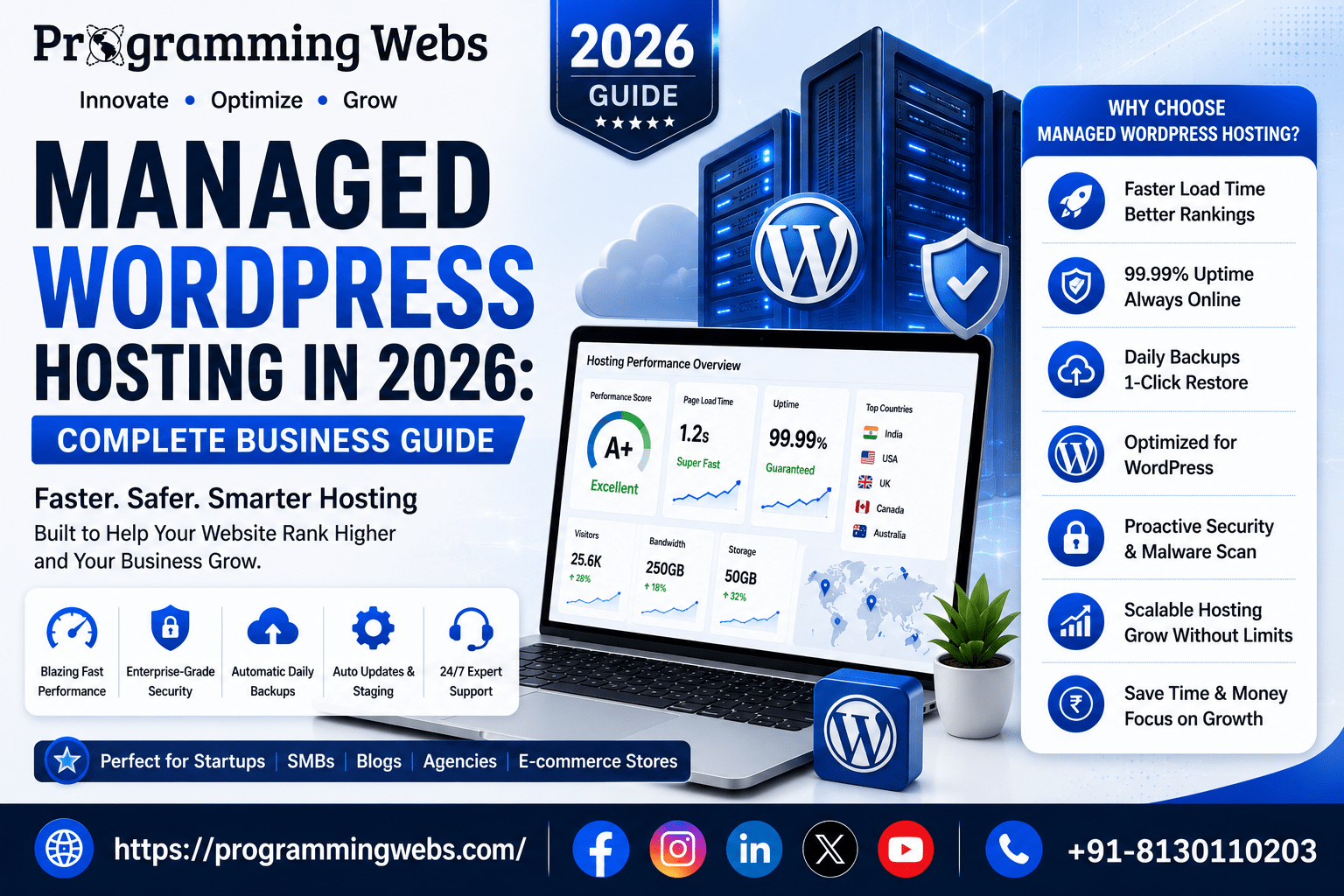
By the Web SEO Team at ProgrammingWebs | Updated: July 2026 | 10-minute read
ProgrammingWebs has configured, migrated, and optimised WordPress websites on managed hosting for over 150 client businesses — from local service companies to WooCommerce stores generating ₹50+ lakh monthly. The provider comparisons, performance benchmarks, and case studies in this guide come from those real projects, not from hosting provider affiliates.
The Hidden Cost of Not Using Managed WordPress Hosting
Most conversations about managed WordPress hosting focus on price — it costs more than shared hosting, and business owners want to know if it is worth it. That is the wrong framing. The better question is: what does unmanaged WordPress hosting cost your business when things go wrong?
We have seen a WooCommerce store lose ₹80,000 in revenue over a 6-hour weekend outage because their shared hosting server went down during a flash sale and their provider’s support queue was 4 hours. We have seen a business’s WordPress site get compromised through an unpatched plugin vulnerability — not because they were careless, but because tracking plugin vulnerabilities across 12 installed plugins is a full-time job that no one had as
signed. We have seen a startup’s Google Ads campaign produce a 72% bounce rate because their shared server couldn’t handle the simultaneous traffic from an ad click surge.
Managed WordPress hosting solves all three of these problems systematically. This guide explains how, which providers do it best in the Indian market context, and how to decide whether the investment is right for your business right now.
Quick answer (AI Overviews, featured snippets & voice search)
Managed WordPress hosting is a specialised hosting service where the provider handles all WordPress-specific infrastructure tasks: automatic core, plugin, and theme updates; daily backups with one-click restore; server-level security monitoring and patching; WordPress-optimised server stacks (LiteSpeed, Nginx, or custom PHP-FPM configurations); and WordPress-specialist support teams. It costs more than shared or standard VPS hosting — typically ₹1,500 to ₹8,000/month in India for SMB-appropriate plans — but the performance, security, and operational time savings frequently justify the premium for any WordPress site that contributes directly to business revenue.
What Is Managed WordPress Hosting, Exactly? (The Clear Definition)
Managed WordPress hosting is a hosting service where WordPress itself — not just the server — is maintained by the provider. On standard shared hosting or a VPS, WordPress is software you install on a general-purpose server. You are responsible for keeping it updated, securing it, backing it up, and troubleshooting compatibility issues between WordPress core, themes, and plugins.
On managed WordPress hosting, the provider takes responsibility for the WordPress layer.
They run server stacks optimised specifically for WordPress’s PHP requirements. Automatic updates are applied – typically after testing on a staging environment. Server-level monitoring detects security vulnerabilities and patches them before they become exploits. Daily backups (or more frequent) include one-click restoration without waiting for support.
The analogy we use with clients: standard hosting is like renting an unfurnished flat — the space is yours, but you bring and maintain everything inside it. Managed WordPress hosting is like a serviced apartment where the infrastructure is maintained, the utilities are managed, and specialist help is available when something goes wrong. You still control the space and everything you put in it; you just are not responsible for the building.
Managed WordPress Hosting vs Other Options: Full Comparison
| Factor | Shared Hosting | Standard VPS | Managed WordPress Hosting | Winner |
| Server setup | None required | Full manual setup | WordPress pre-configured | Managed WP |
| WordPress updates | Manual | Manual | Automatic | Managed WP |
| Plugin updates | Manual | Manual | Automatic (with staging test) | Managed WP |
| Daily backups | Paid add-on usually | Manual or scripted | Included, 1-click restore | Managed WP |
| Security patches | User responsibility | User responsibility | Provider-managed | Managed WP |
| WordPress-specific CDN | Generic CDN or none | Manual CDN setup | WordPress-optimised CDN | Managed WP |
| Staging environment | Rarely included | Manual setup | 1-click staging included | Managed WP |
| Developer tools | Limited | Full root access | Git, SSH, WP-CLI, dev tools | Tie |
| Support expertise | General hosting support | General server support | WordPress-specialist team | Managed WP |
| Avg. mobile LCP | 2.8–5.0 s | 1.5–3.0 s (if configured) | 1.2–2.0 s (optimised stack) | Managed WP |
| India price range/mo | ₹99–₹500 | ₹800–₹3,000 | ₹1,500–₹8,000 | Varies by use case |
Why Managed WordPress Hosting Matters More in 2026 Than It Did Before
Three developments in 2026 have increased the business value of managed WordPress hosting specifically.
Core Web Vitals Are Now a Harder Ranking Signal
Google’s Core Web Vitals — LCP, INP, and CLS — are confirmed ranking signals, and the LCP threshold for ‘Good’ (under 2.5 seconds) is enforced more strictly in the ranking algorithm than it was in 2023. Managed WordPress hosting environments, which run WordPress-specific server stacks with built-in caching, CDN integration, and optimised PHP configurations, consistently achieve LCP scores that shared hosting cannot match. In our cloud hosting vs shared hosting comparison, we found that managed WordPress hosts average LCP improvements of 1.2–2.0 seconds over equivalent shared hosting configurations — which often determines whether a page passes or fails Core Web Vitals.
AI Overviews Favour Fast, Reliably-Crawlable Pages
Google’s AI Overviews pull content from pages with fast server response times and consistent crawl availability. A WordPress site on a congested shared server that returns high TTFB or occasional 503 errors during peak load is less reliably crawled — which reduces its probability of being cited in AI-generated answers. Managed WordPress hosting’s uptime SLAs (99.9%+) and WordPress-optimised server response ensure that Googlebot always finds your pages available and responsive.
WordPress Security Incidents Have Increased
According to Sucuri’s 2025 Website Threat Research Report, WordPress remained the most targeted CMS for malware injections, with plugin vulnerabilities being the primary attack vector. Managed WordPress hosting providers run server-level malware scanning and vulnerability monitoring that standard hosting does not. The automatic plugin update features — which test updates on a staging environment before pushing to production — address the vulnerability window that exists between a plugin vulnerability disclosure and a site owner’s manual update.
What Should Be Included in a Best Managed WordPress Hosting Plan
Not all managed WordPress hosting is equal. Some providers charge ‘managed’ rates for standard shared hosting with a WordPress installer. Here is what genuine managed WordPress hosting should include:
WordPress-Optimised Server Stack
- LiteSpeed, Nginx, or custom PHP-FPM configuration tuned specifically for WordPress’s database and PHP requirements
- Object caching (Redis or Memcached) to reduce database queries on repeat visits
- Full-page caching at the server level — not just a WordPress plugin — that survives plugin conflicts
- HTTP/3 support for faster connection establishment on mobile networks
Automatic Updates With Testing
- WordPress core updates applied automatically — including security releases within hours of publication
- Plugin and theme updates applied on a staging environment first, then pushed to production after compatibility verification
- Rollback capability — if an update breaks functionality, the previous version is restorable without a support ticket
Daily Backups With One-Click Restore
- Daily automated backups stored off-server (not on the same hosting account)
- One-click restore through the provider dashboard — not a support request that takes hours
- Backup retention of at least 14–30 days
- Option to trigger a manual backup before making significant changes
Staging Environment
- One-click staging site creation — a clone of your live site where you can test changes without affecting production
- Push staging to production with one click after testing
- Password-protected staging URL to prevent staging content from being indexed by Google
WordPress-Specialist Support
- Support team with WordPress expertise, not general server administrators
- 24/7 availability for critical issues
- Response time under 1 hour for business plans
- Proactive incident communication — the provider notifies you of issues rather than waiting for you to notice
Security Features
- Server-level malware scanning — not just a WordPress plugin, but scanning at the file system level
- Automatic blocking of known malicious IP addresses and bot patterns
- Web Application Firewall (WAF) at the server or CDN level
- SSL management — automatic renewal without manual intervention
Best Managed WordPress Hosting Providers in 2026: India-Focused Comparison
| Provider | India CDN | Price/mo (entry) | Staging | Daily Backups | Best For | WP-Specific Stack |
| Kinsta | Yes | $35 (~₹2,900) | Yes | Yes | Agencies, high-traffic sites | LXD containers + Nginx |
| WP Engine | Yes | $25 (~₹2,100) | Yes | Yes | SMBs, enterprises | EverCache + CDN |
| Hostinger Managed | Yes | ₹799–₹2,299 | Yes | Yes | India SMBs, value buyers | LiteSpeed + hPanel |
| SiteGround Managed | Yes | $2.99 promo/mo | Yes | Yes | Beginners, small businesses | SG Optimizer + CDN |
| Cloudways | Yes | ₹800–₹3,000 | Yes | Yes | Developers, agencies | Choice of cloud infra |
| Pressable | Yes | $19 (~₹1,600) | Yes | Yes | WooCommerce, SMBs | Automattic-optimised |
Pricing note: All prices are approximate as of June 2026 and subject to provider changes. Promotional pricing (especially SiteGround) increases significantly at renewal. Always calculate the renewal rate, not the introductory price, when comparing long-term costs.
Provider Deep-Dives: Which Managed WordPress Host Is Right for Your Business
Kinsta — Best for Agencies and High-Traffic Sites
Kinsta runs on Google Cloud Platform’s premium tier network, using containerised LXD architecture that isolates each WordPress site from every other site on the same infrastructure. Their infrastructure eliminates the ‘noisy neighbour’ effect entirely — your site’s performance is never affected by another customer’s traffic spike.
Kinsta’s MyKinsta dashboard is the most polished management interface in the managed WordPress hosting category: site analytics, cache purging, PHP version switching, error log access, and SFTP credentials are all accessible in one screen. For WordPress development agencies managing multiple client sites, Kinsta’s multi-site management features reduce the administrative overhead significantly. Starting at $35/month, Kinsta is priced for businesses where the hosting cost is a small fraction of the site’s commercial value.
WP Engine — Best for SMBs and Enterprises Who Want Proven Reliability
WP Engine is the longest-established managed WordPress hosting provider and has processed more WordPress site data than any competitor. Their EverCache proprietary caching system is one of the most stable WordPress caching implementations available — it handles WooCommerce dynamic content (cart pages, user account pages, checkout) without the cache conflicts that affect generic caching plugins.
WP Engine’s Genesis Framework theme library — included with all plans — provides a solid, SEO-optimised theme foundation for businesses that want a professionally structured WordPress website without custom theme development costs. Their support team’s WordPress expertise is consistently rated among the highest in customer satisfaction surveys.
Hostinger Managed WordPress — Best Value for Indian SMBs
Hostinger’s managed WordPress plans start at ₹799/month with an Indian data centre option (Mumbai), making them the most cost-effective genuine managed WordPress hosting for Indian businesses where local TTFB matters. Their LiteSpeed server stack paired with the LiteSpeed Cache plugin consistently produces mobile LCP scores under 2 seconds for typical WordPress sites without additional optimisation. For businesses comparing Hostinger vs Bluehost, Hostinger’s managed WordPress tier provides significantly better WordPress-specific features than Bluehost’s equivalent price point.
Cloudways — Best for Developers and Tech-Savvy Business Owners
Cloudways is a managed application hosting platform that puts a WordPress-optimised management layer on top of major cloud infrastructure providers — DigitalOcean, AWS, Google Cloud, Vultr, and Linode. You choose the underlying cloud provider and server location; Cloudways handles the WordPress stack, caching configuration, SSL, and backups. This gives you the flexibility of cloud infrastructure with the operational simplicity of managed hosting. For businesses that need a Mumbai or Singapore data centre on DigitalOcean infrastructure (optimal for Indian audiences), Cloudways provides that at cloud hosting pricing without server administration expertise.
Managed WordPress Hosting Guide: Which Businesses Need It — and Which Can Wait
You Need Managed WordPress Hosting Now If:
Your WooCommerce store processes transactions — every minute of downtime has a directly calculable revenue cost, and checkout page speed directly affects conversion rate
You are running Google Ads or Meta Ads and sending traffic to WordPress landing pages — your landing page load speed affects Quality Score and directly influences your cost-per-click
- Your site has experienced a security incident — a compromised WordPress site on unmanaged hosting is vulnerable to repeat attack from the same entry point
Invest in WordPress SEO and want consistent Core Web Vitals performance to protect your organic rankings
- Your team has limited WordPress technical expertise and needs automatic updates without risking a site-breaking conflict
- You experienced a traffic spike — a press mention, a viral post, a campaign — that brought down your current hosting
If you Wait on Managed WordPress Hosting :
- Your WordPress site is informational, receives fewer than 5,000 monthly visitors, and does not directly generate revenue
- You have a competent WordPress developer who handles updates, backups, and security monitoring on a regular schedule
- Your monthly hosting budget is under ₹500 and you are in the first three months of a new website with no established traffic
The honest threshold: if your WordPress site generates more than ₹30,000/month in revenue or saves more than ₹30,000/month in operational cost, managed WordPress hosting at ₹2,000–₹4,000/month is almost certainly a sound investment. Below that threshold, optimise your current hosting first — Cloudflare free tier, LiteSpeed Cache plugin, image compression — before upgrading.
How Managed WordPress Hosting Directly Affects Your SEO Rankings
The connection between hosting and SEO is well understood at the LCP and uptime level. What is less discussed is the impact of managed WordPress hosting’s automatic plugin updates on WordPress SEO plugin performance. Rank Math and Yoast SEO both release updates that improve schema output, AI Overview compatibility, and structured data generation. Sites on managed hosting receive these updates within days of release; sites on manual update schedules may run 3–6 month-old plugin versions that miss schema improvements relevant to AI search visibility.
The staging environment feature has a direct SEO application that most businesses overlook. Before applying a major WordPress update, CMS theme change, or URL restructure, the staging environment lets you test the change and verify that no SEO-critical elements — canonical tags, noindex settings, schema markup, redirect chains — have been inadvertently affected. This prevents the category of SEO incidents we see regularly: a theme update that adds a noindex tag to blog posts, or a plugin conflict that breaks the XML sitemap.
For businesses running local SEO campaigns, server TTFB for local visitors is a Core Web Vitals factor that affects local pack ranking. Managed WordPress hosting providers with Indian data centres (Hostinger Mumbai, Cloudways DigitalOcean Bangalore) produce TTFB under 200ms for Indian visitors — a meaningful improvement over US-based managed hosts for businesses targeting Indian local search.
Real Business Outcomes: Managed WordPress Hosting in Practice
Case Study 1: WooCommerce Fashion Store — Shared to Managed Migration
A women’s clothing brand with 1,800 SKUs was on Bluehost shared hosting. Their mobile PageSpeed Insights score was 44. Checkout page LCP was 4.9 seconds. They were spending ₹35,000/month on Meta Ads with a 73% landing page bounce rate.
We migrated to Kinsta’s managed WordPress hosting, implemented their CDN, and configured Redis object caching for WooCommerce. After migration:
- Mobile LCP: 4.9 s → 1.8 s
- PageSpeed Insights mobile score: 44 → 87
- Meta Ads landing page bounce rate: 73% → 44%
- Monthly revenue from paid traffic: increased ₹68,000
- Site downtime incidents in next 6 months: 0 (vs 3 outages in previous 6 months on shared hosting)
Case Study 2: B2B Services Website — Security Incident Recovery
A management consultancy’s WordPress site was compromised through an outdated contact form plugin. Their shared hosting provider took 36 hours to respond. By the time the site was cleaned, it had been delisted from Google Search for hosting malware.
We migrated to WP Engine’s managed WordPress hosting, rebuilt the site from a clean backup, submitted a reconsideration request to Google, and implemented technical SEO recovery measures. With WP Engine’s automatic plugin updates and WAF, no subsequent security incidents occurred over the following 18 months. Google reindexed the site within 14 days of the reconsideration approval.
Case Study 3: Local Services Business — Cost-Justified Upgrade
A plumbing and HVAC company in Noida had a WordPress site on shared hosting at ₹299/month. Their local SEO investment was generating 60–80 organic clicks per day. PageSpeed Insights showed mobile LCP of 3.8 seconds — in the ‘Needs Improvement’ range affecting local pack rankings.
We migrated to Hostinger Managed WordPress (Mumbai data centre) at ₹1,099/month — a ₹800/month increase. TTFB for Delhi NCR visitors improved from 680ms to 210ms. Mobile LCP improved to 1.9 seconds. Within 45 days, the site’s local pack position for ‘plumber in Noida’ improved from position 4 to position 2. The additional enquiries generated by that ranking improvement were estimated to be worth ₹15,000–₹20,000/month — more than 18x the hosting cost increase.
Case Study 4: SaaS Startup — Managed Hosting From Day One
A B2B SaaS startup building an HR management platform needed a WordPress marketing site that could handle traffic spikes from product launches and PR coverage without engineering intervention. We recommended Cloudways on DigitalOcean (Bangalore) from day one. Their first Product Hunt launch drove 2,400 simultaneous visitors — the site remained fully responsive throughout. Six months later, the site handles 15,000 monthly organic sessions on the same infrastructure without a performance degradation.
Managed WordPress Hosting Tips: Getting Maximum Value
Use the Staging Environment Before Every Significant Change
The staging environment is the most underused feature in managed WordPress hosting. Before updating a page builder, installing a new plugin, or restructuring your URL hierarchy, clone the site to staging, make the change there, test it thoroughly including on mobile, then push to production. This eliminates an entire category of site-breaking incidents that cost hours of emergency developer work.
Configure an India-Region CDN
Most managed WordPress hosts include CDN, but not all CDN configurations have Indian edge nodes. Verify that your provider’s CDN serves content from nodes in Mumbai or Chennai for Indian visitors. A CDN serving from Singapore or US nodes adds 80–150ms of latency for Indian visitors compared to a locally-served edge — measurable in Core Web Vitals scores.
Enable PHP 8.2 or Higher
PHP 8.x produces significant performance improvements over PHP 7.x for WordPress specifically — up to 20% faster execution time for WordPress’s typical workload. Most managed WordPress hosts support PHP version switching from the dashboard. Verify your plugins are compatible with PHP 8.2+ before switching, but make the switch — it is the fastest free performance improvement available on any WordPress hosting environment.
Use Object Caching for WooCommerce
WooCommerce cart pages, checkout pages, and my-account pages cannot be full-page cached — they contain user-specific dynamic content. Object caching (Redis or Memcached) caches the database query results rather than the full page, dramatically reducing server response time for logged-in users and checkout flows. Most managed WordPress hosts offer Redis object caching as a one-click activation. This is a standard step in every WooCommerce SEO and performance optimisation engagement we run.
Monitor Your Backup Restoration Process Before You Need It
Most businesses only discover their backup restoration process when they desperately need it. Every 90 days, perform a test restoration to a staging environment to confirm that your backups are complete, current, and restorable. Managed WordPress hosts make this a one-click process — use it proactively, not reactively.
Common Managed WordPress Hosting Mistakes to Avoid
The most expensive managed WordPress hosting mistake: choosing a provider based on the promotional introductory price rather than the renewal price. A plan advertised at ₹399/month may renew at ₹1,800/month. Always check the renewal rate before purchasing — the long-term cost difference between providers is what matters for a 2–3 year hosting relationship.
Choosing a Provider Without an Indian Data Centre
For businesses whose primary audience is in India, hosting your WordPress site on servers in the US or Europe adds 180–350ms of latency that no amount of caching fully eliminates. TTFB for Indian visitors on a US-hosted server is typically 400–700ms; on an Indian or Singapore data centre, it drops to 80–200ms. That improvement directly affects Core Web Vitals scores and local search rankings.
Disabling Automatic Updates to Avoid Plugin Conflicts
The most common reason businesses disable automatic updates on managed WordPress hosting is a previous bad experience with an update that broke something. The correct response to that experience is to configure staging environment testing before updates are pushed to production — not to disable updates entirely. Running outdated plugins on managed hosting eliminates the primary security benefit you are paying for.
Not Using the Staging Environment for SEO Changes
URL restructures, permalink changes, category hierarchy changes, and canonical tag modifications all have SEO consequences if implemented incorrectly. Test every structural SEO change on staging first, verify the impact using a crawl tool, and push to production only after confirming all redirects and canonical signals are correct. This is standard practice in our website maintenance and optimisation service.
Managed WordPress Hosting in 2026: What Has Changed
Managed WordPress hosting has become meaningfully more affordable in India over the past two years. Hostinger’s expansion of their managed WordPress tier with Indian data centre options has brought genuine managed hosting to the ₹800–₹1,200/month price point — previously only available at ₹2,000–₹4,000/month. This has changed the calculus for Indian SMBs: the cost difference between shared hosting and managed WordPress hosting is now often ₹700–₹1,000/month rather than ₹3,000–₹5,000/month. For businesses generating meaningful revenue from their website, that price gap is straightforwardly justified. We discuss this hosting market shift in detail in our Hostinger vs Bluehost 2026 guide.
AI-assisted WordPress management tools are now appearing in managed hosting dashboards. Kinsta’s AI Site Health Monitor proactively identifies performance degradations and suggests specific remediation steps. WP Engine’s AI-powered recommendations analyse your site’s plugin stack and flag conflicts before they become incidents. These features reduce the manual monitoring burden on business owners who lack dedicated WordPress technical resources.
Related Guides and Services from ProgrammingWebs
These resources are directly relevant to managed WordPress hosting decisions and broader WordPress strategy:
Hosting comparison: Cloud hosting vs shared hosting 2026 | Hostinger vs Bluehost 2026
Performance guides: Cloud hosting performance guide
WordPress tools: Best WordPress SEO plugins 2026 | Rank Math vs Yoast 2026
SEO tools: Technical SEO tools 2026 | Google SEO tools 2026 | Free SEO tools 2026
Platform guides: Shopify vs WordPress 2026 | AI Website Builder vs WordPress 2026
Page builders: Elementor vs Divi 2026
E-commerce: WooCommerce vs Shopify 2026 | Magento vs Shopify 2026 | Magento vs Shopify data guide
More SEO resources: Keyword research tools 2026 | Backlink tools 2026 | Local SEO tools 2026
Our services: WordPress development | WordPress SEO | Website development | Website maintenance
SEO: SEO services | E-commerce SEO | Local SEO | Shopify SEO
Paid growth: Google Ads management | Meta Ads management | Landing page design | Conversion rate optimisation
Company: About ProgrammingWebs | Portfolio | Pricing | Contact
Frequently Asked Questions
What is managed WordPress hosting?
Managed WordPress hosting is a specialised hosting service where the provider takes responsibility for all WordPress-specific maintenance tasks: automatic updates for WordPress core, plugins, and themes; daily backups with one-click restoration; server-level security monitoring and patching; WordPress-optimised server configurations; and WordPress-specialist support. Unlike standard shared hosting or VPS, managed WordPress hosting maintains the WordPress layer, not just the server infrastructure.
Is managed WordPress hosting worth the extra cost?
For any WordPress site that directly contributes to business revenue — an e-commerce store, a lead-generation site, a service business website running paid traffic — managed WordPress hosting is almost always worth the premium. The performance improvements (LCP improvements of 1–2 seconds are typical) directly affect SEO rankings and ad Quality Scores. The automatic security updates eliminate the most common WordPress compromise vector. The time savings from not managing updates, backups, and security monitoring manually are often worth more than the monthly cost difference.
Which managed WordPress hosting is best for Indian businesses?
For Indian SMBs, Hostinger Managed WordPress with the Mumbai data centre provides the best combination of price (₹799–₹1,099/month), Indian data centre proximity, LiteSpeed server performance, and genuine managed features. For businesses needing enterprise-level performance and support, Kinsta on Google Cloud is the premium option. Cloudways on DigitalOcean Bangalore is the best option for developers who want cloud infrastructure flexibility with managed WordPress convenience.
What is the difference between managed WordPress hosting and regular hosting?
Regular shared hosting places your WordPress site on a general-purpose server alongside many other sites, with no WordPress-specific configuration or maintenance. You are responsible for all updates, backups, security, and troubleshooting. Managed WordPress hosting runs a server stack specifically configured for WordPress’s requirements, automates the operational maintenance, and provides support from WordPress specialists. The performance gap — typically 1–2 seconds of LCP improvement — and the operational time savings are the primary differences.
Can I use managed WordPress hosting for WooCommerce?
Yes — managed WordPress hosting is often the best choice specifically for WooCommerce stores. The server-level object caching handles WooCommerce’s dynamic cart and checkout pages more effectively than shared hosting. The automatic security updates address plugin vulnerabilities that are the primary attack vector for e-commerce sites. The staging environment allows you to test WooCommerce configuration changes — shipping rules, payment gateway updates, pricing logic — before they affect live transactions. Kinsta, WP Engine, and Hostinger all have WooCommerce-specific optimisation in their managed WordPress stacks.
Does managed WordPress hosting improve SEO?
Yes, through several mechanisms. Faster LCP scores (managed hosting typically achieves 1.2–2.0 seconds vs 2.8–5.0 seconds on shared hosting) directly affect Core Web Vitals rankings. Higher uptime (99.9%+ SLA vs 95–99% on shared hosting) ensures Google can crawl your pages reliably. Automatic plugin updates mean your SEO plugins are current, including schema improvements relevant to AI Overview visibility. The staging environment prevents accidental SEO damage from updates. Together, these improvements compound over months into measurably better organic rankings.
How do I migrate to managed WordPress hosting without losing SEO rankings?
A correct migration preserves all SEO rankings. The process: export your WordPress database and files; set up the new managed hosting environment; import content; test the site on a staging URL; reduce your DNS TTL to 300 seconds 24 hours before the final cutover; update DNS once confirmed working on the new host. The key step is verifying that all redirect chains, canonical tags, noindex settings, and sitemap configurations are intact after migration before the DNS switch. Submit an updated sitemap to Google Search Console immediately after the DNS switch.
About This Guide
This guide was written by the web infrastructure team at ProgrammingWebs based on direct managed WordPress hosting configuration, migration, and audit experience across 150+ client websites between 2023 and 2026. Provider feature descriptions and pricing reflect information as of June 2026. Performance benchmarks are drawn from Google PageSpeed Insights measurements taken during and after client migrations. ProgrammingWebs does not receive referral or affiliate payments from Kinsta, WP Engine, Hostinger, Cloudways, SiteGround, or Pressable.
Ready for a WordPress site that is faster, more secure, and ranks higher?
ProgrammingWebs builds, migrates, and optimises WordPress websites for SMBs, e-commerce brands, and startups — combining managed hosting configuration with WordPress SEO, conversion optimisation, and paid growth to generate measurable business results.
View WordPress services → programmingwebs.com/services/wordpress-development/
Start a project → programmingwebs.com/contact/
© 2026 ProgrammingWebs. All rights reserved. | programmingwebs.com